





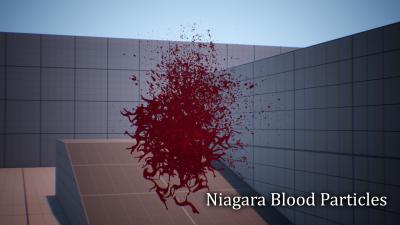
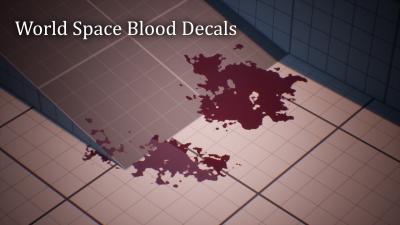
| Name | Version | Update Info | Comments | Status |
|---|---|---|---|---|
| EnGore꞉ Procedural Dismemberment | 4.27 | First Release | UE4 READY | |
| EnGore꞉ Procedural Dismemberment | 5.0 - 5.3 | First Release | Non-Available | |
| EnGore꞉ Procedural Dismemberment | 5.0 - 5.3 | First Release | Non-Available | |
| EnGore꞉ Procedural Dismemberment | 5.0 - 5.1 | First Release | Non-Available | |
| EnGore꞉ Procedural Dismemberment | 5.0 - 5.4 | First Release | Non-Available | |
| EnGore꞉ Procedural Dismemberment | 5.0 - 5.2 | First Release | Non-Available | |
| EnGore꞉ Procedural Dismemberment | 5.0 - 5.2 | First Release | Non-Available | |
| EnGore꞉ Procedural Dismemberment | 5.0 - 5.4 | ON REQUEST | Non-Available | |
| EnGore꞉ Procedural Dismemberment | 5.0 - 5.3 | UPDATE 5.4-5.2-V1.3.3 | Non-Available | |
| EnGore꞉ Procedural Dismemberment | 5.0 - 5.7 | UPDATE 5.7-4.27 - V1.3.3 | UE5 READY |
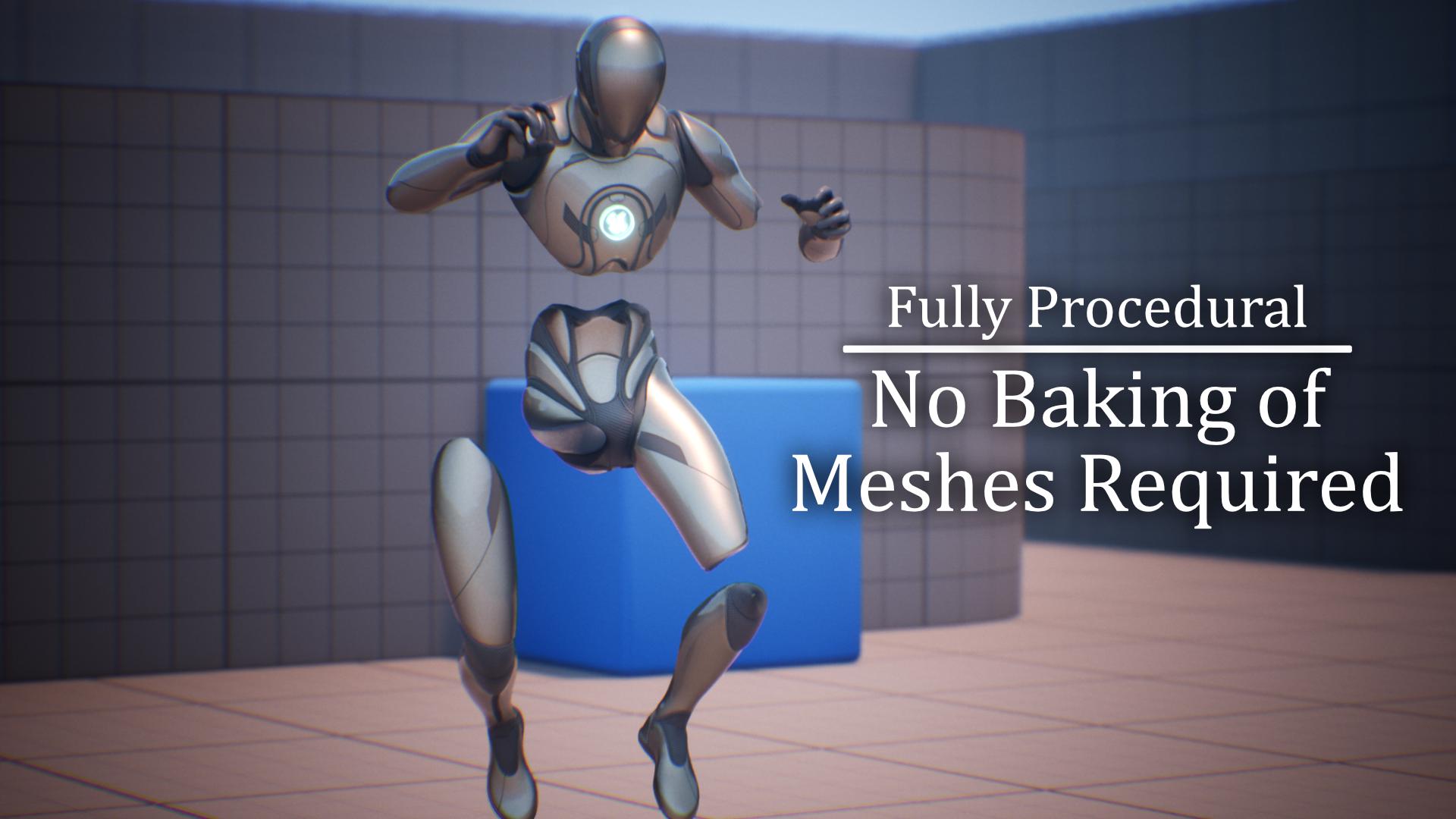
Procedurally dismember any bones of a skeletal mesh. No need to bake any extra meshes.
Includes Blood / Gore FX that can be easily interchanged for any other FX.
The system is Highly Customizable. It will work with any Character, Creature, Animal, or monster as long as they are a skeletal mesh.
Built and Optimized in C++ for best possible performance.
06/10/24 by Deep North Studi
The plugin has a lot of potential but clearly has been abandoned by the creator. He stopped updating it, answering questions here, and hasn't responded to any emails. Shame.
like the rpoduct but wish for multi color blood paint
25/09/24 by AxccsAsh
i like the product and after looking through the code deff can see some interesting stuff going on there. but really wish you could add a function for the bloodpaint to have multiple layers of diffrent colored blood on the mesh.
I don't think I've seen a worst prodcut
20/08/24 by TSnappyT
As soon as I installed it and run the project in the sln and I found this warrning.
When you create the ABP, he only create it for ARM! so you have to go inside it and reset everything. Plus it's so buggy that to fix an issue you have to either compile or restart the editor? like what kind of production is this? is this serious?
The cutten limbs will push you character and most of the times cutten limbs will float!
Keeps giving the error where the pelvis bone is worng even though it perfect!
everything is enabled as docs says
It's not acceptable to have these kind of problems in a paid plugin!
There should be a quality check based on the plugin price
When I saw @PrismaticaDev replying to your video about the plugin It bulit a trust, then you don't have support and your plugin don't work due to code issue out of the box
Refund Is requseted
warrning, 11>Casts.h(148): Warning C4996 : 'Cast::FStaticWarningMsg_148::condition': Attempting to use Cast<> on types that are not related
11>Casts.h(148): Reference C4996 : the template instantiation context (the oldest one first) is
11>DismembermentComponent.cpp(1207): Reference C4996 : see reference to function template instantiation 'T *Cast<UAnimBlueprint,UDismemberedAnimInstance>(const TSubclassOf<UDismemberedAnimInstance> &)' being compiled
with
[
T=UAnimBlueprint
]
11>Casts.h(396): Reference C4996 : see reference to function template instantiation 'To *Cast<UAnimBlueprint,UClass>(From *)' being compiled
with
[
To=UAnimBlueprint,
From=UClass
]
Seeking help but.
09/08/24 by GoliathGuitarDev
Limited documentation and no support discord. This plugin isn't cheap and definitely doesn't take extensive support so a discord would make me rereview this. Documentation like "Open the New Anim Instance that was created for your mesh and press compile. This should hopefully resolve the issue." is not helpful when it doesnt work, even recreating the dismemberment abp. So far this plugin is expensive trash and I will ask for a refund if these issues are not responded to.
On my metahumans the limbs will not dismember, it was giving me a pelvis bone name issue thats resolved. But there doesnt appear to be a way to have the limbs actually dismember. And on my player character its spawning my head attached to my legs as a mesh when it is manually set to only dismember my head as a debug.
Great but.....
29/07/24 by SiiGul
This plugin is great! it is really simple to use and set up and the planned features for future updates seems really promising however..... the lack of communication is insane!
There is no official discord server to ask for help and the Dev's discord acc is set to friends only, and so i cannot communicate to him there. There is his email, however he also has not responded to mine which i sent weeks ago.
Love this plugin but please, have better communication...
Useful but has some notable issues
22/05/24 by brolytlss
The concept of this plugin is really cool so I'd love to give 5 stars but unfortunately there's some major issues that happen in the version for UE 4.27
- When Physics is enabled, limbs that should be dismembered sometimes just disappear when you try to dismember them
- With the Paragon Novaborn skeletal mesh, there's an inconsistently reproducible issue where the meshes end up stretching when physics is enabled. Using "AddImpulse" or "AddImpulseAtLocation" makes this happen more consistently
- Bones on an already dismembered limb can not be further dismembered in some cases. An example is if you cut a mesh into two pieces - one above the pelvis and one below the pelvis, then the head can not be detached from the one above the pelvis. However, this seems to only happen if the part above the pelvis was the newly spawned instance
- There's no customization available for the collision that gets applied to dismembered meshes
- With the Paragon Novaborn skeletal mesh, dismemberment when physics is enabled sometimes causes hitching and this message being printed to the crash logs
Ensure condition failed: !Primitive->Bounds.BoxExtent.ContainsNaN() && !Primitive->Bounds.Origin.ContainsNaN() && !FMath::IsNaN(Primitive->Bounds.SphereRadius) && FMath::IsFinite(Primitive->Bounds.SphereRadius) [File:D:/Build/++UE4/Sync/Engine/Source/Runtime/Renderer/Private/RendererScene.cpp] [Line: 1390]
Error: Nans found on Bounds for Primitive SkeletalMeshComponent_1: Origin X=nan Y=nan Z=nan, BoxExtent X=nan Y=nan Z=nan, SphereRadius nan
I'm not familiar with Discord DMs so I don't really understand how to get in touch with the author either about these issues
Pretty Awesome
04/05/24 by Luna2442
Actually crazy how simple this was to implement and it looks great. The only issue I've noticed so far is a heavy performance issue when using "Support Attached Child Meshes". The performance is to the point where it is unusable in my case. If this issue is better explained to me or fixed I would rank it 5 stars hands down.
Fast, easy and looks great!
25/11/23 by Shaz Norious
Hands down the best plugin out there for easy dismemberment.
Top Notch Purchase!
17/10/23 by AXlOM
Works beautifully, dev is responsive and helpful
Great system!
28/08/23 by EnragedGames
Easy to use and seller responded to a needed fix much quicker than is typical on the marketplace!
"This is the type of plugin, worth the price" - A coder
22/08/23 by riuthamus
The only thing you need to know is that, the coder on our team who could have done this himself said "This is the type of plugin that is worth the price. Very professional and super simple to implement!". This is from a fullstack C++ coder with 20+ years of experience.
We added it to our 100% custom mesh (not using UE skeleton at all) and it just worked. Great stuff.
Great plugin!
02/08/23 by legendfinalhero
This plugin saved me from wasting coding and seperating meshes and adding gore with vfx so much time God bless the developer for making my game development life and project easier also the support is good he does answer and cares to update and is very polite and professional thankyou!!!
Great Product
30/07/23 by NobIeChief
Easy integration and very easy to use -- must have for beginners that want dismemberment. Only downside is the blood uses decals instead of something like Niagara which isn't a huge problem but does look odd in same cases. Publisher very responsive and helps quickly easy 5/5
So easy to use
14/05/23 by Aeonfitz
gret plug in, seamless intergration.
Doesn't work with Mixamo skeletons
01/05/23 by chungoid69
Does not work with mixamo skeletons (terrible stretching issues)
Great plugin
22/01/23 by fullpowerfantasy
Really wonderful plugin. Exactly what I was looking for.
Not working on 5.1
15/01/23 by EllaDay
It workds on 5.0, but On 5.1 on fresh clean third person template it just crashes after click Create Dismemberment Rig. Please fix and I will change the review.
<RuntimeProperties>
<CrashVersion>3</CrashVersion>
<ExecutionGuid>08CE880749A5AA90600852AB61DF34CA</ExecutionGuid>
<CrashGUID>UECC-Windows-06F0B01B4FCC8911A748508DBBEB23A3_0000</CrashGUID>
<IsEnsure>false</IsEnsure>
<IsStall>false</IsStall>
<IsAssert>false</IsAssert>
<CrashType>Crash</CrashType>
<ErrorMessage>Unhandled Exception: EXCEPTION_ACCESS_VIOLATION reading address 0x0000000000000010</ErrorMessage>
...
<Thread>
<CallStack>UnrealEditor-RigVMDeveloper 0x00007ff9b9d90000 + 146634 UnrealEditor-ControlRigDeveloper 0x00007ff9b8040000 + 9f3e4 UnrealEditor-UnrealEd 0x00007ff9e01b0000 + 7ac5f5 UnrealEditor-UnrealEd 0x00007ff9e01b0000 + 7574a7 UnrealEditor-UnrealEd 0x00007ff9e01b0000 + 7a9ee7 UnrealEditor-CoreUObject 0x00007ff9e73c0000 + 521e1f UnrealEditor-CoreUObject 0x00007ff9e73c0000 + 527360 UnrealEditor-CoreUObject 0x00007ff9e73c0000 + 52806a UnrealEditor-UnrealEd 0x00007ff9e01b0000 + cc783f UnrealEditor-AssetTools 0x00007ff9ca470000 + 80142 UnrealEditor-AssetTools 0x00007ff9ca470000 + 4a3b2 UnrealEditor-AssetTools 0x00007ff9ca470000 + 9ea93 UnrealEditor-CoreUObject 0x00007ff9e73c0000 + 22a8bc UnrealEditor-CoreUObject 0x00007ff9e73c0000 + 48f114 UnrealEditor-CoreUObject 0x00007ff9e73c0000 + 4a36b3 UnrealEditor-CoreUObject 0x00007ff9e73c0000 + 4d43f6 UnrealEditor-CoreUObject 0x00007ff9e73c0000 + 4a686a UnrealEditor-CoreUObject 0x00007ff9e73c0000 + 47a859 UnrealEditor-CoreUObject 0x00007ff9e73c0000 + 4a6433 UnrealEditor-CoreUObject 0x00007ff9e73c0000 + 4a686a UnrealEditor-CoreUObject 0x00007ff9e73c0000 + 4a5b47 UnrealEditor-CoreUObject 0x00007ff9e73c0000 + 22a8bc UnrealEditor-CoreUObject 0x00007ff9e73c0000 + 4a4dbf UnrealEditor-Blutility 0x00007ff9bae70000 + 221fa UnrealEditor-Blutility 0x00007ff9bae70000 + 33b9d UnrealEditor-Slate 0x00007ff9e6d90000 + 1f1260 UnrealEditor-Slate 0x00007ff9e6d90000 + 1f5460 UnrealEditor-Slate 0x00007ff9e6d90000 + 1c97c4 UnrealEditor-Slate 0x00007ff9e6d90000 + 2705f6 UnrealEditor-Slate 0x00007ff9e6d90000 + 296793 UnrealEditor-Slate 0x00007ff9e6d90000 + 1f6e8c UnrealEditor-Slate 0x00007ff9e6d90000 + 2a3e8 UnrealEditor-Slate 0x00007ff9e6d90000 + ffca UnrealEditor-Slate 0x00007ff9e6d90000 + 76743 UnrealEditor-Slate 0x00007ff9e6d90000 + 65223 UnrealEditor-Slate 0x00007ff9e6d90000 + 5aecc UnrealEditor-ApplicationCore 0x00007ffa57030000 + 419a2 UnrealEditor-ApplicationCore 0x00007ffa57030000 + 267d1 UnrealEditor-ApplicationCore 0x00007ffa57030000 + 44391 UnrealEditor-ApplicationCore 0x00007ffa57030000 + 1ff93 USER32 0x00007ffa6deb0000 + 18271 USER32 0x00007ffa6deb0000 + 17d31 UnrealEditor-ApplicationCore 0x00007ffa57030000 + 45849 UnrealEditor 0x00007ff7e92b0000 + 7332 UnrealEditor 0x00007ff7e92b0000 + 2287d UnrealEditor 0x00007ff7e92b0000 + 2296a UnrealEditor 0x00007ff7e92b0000 + 25680 UnrealEditor 0x00007ff7e92b0000 + 371b4 UnrealEditor 0x00007ff7e92b0000 + 3a516 KERNEL32 0x00007ffa6e8c0000 + 126bd ntdll 0x00007ffa6eeb0000 + 5dfb8</CallStack>
<IsCrashed>true</IsCrashed>
<Registers />
<ThreadID>10664</ThreadID>
<ThreadName>GameThread</ThreadName>
</Thread>
Good but needs a Tutorial Video
08/12/22 by Romance_-
Documentation is nice but needs a full tutorial video as it doesn't go over everything
Easy and functional
05/12/22 by Danno_Critiko
Really a great plugin, I recommend making a more detailed video of how it works, otherwise great work
Great Work!
01/12/22 by djjk321
I dont usually leave reviews but i have to say this is an amazing product! Very easy to impliment into your game!
Great Work!
The reason i added only a 3 Star is you are basically on your own because there is no support on this product. Contacting the Dev is impossible.
Great plugin
30/11/22 by Shadow_Herald_
Will there be video tutorials on settings?
Looks Great... some problems.
28/11/22 by MythcPenguin
Hey, great job on the plugin. One problem I am having is that when I try to use meshes from mixamo with the system, my UE4 editor crashes. (I am using 4.27). works great with the default mannequin though!
Increidble asset!!
27/11/22 by Rockstar360
Works perfect with my project in Unreal 4.27. AWESOME!
Best plugin ever
16/11/22 by tufankilinc
It seems really fantastic but when i use simulate physics on character's mesh, dismembered part flying out of sight.
Edited part:
I found a solution to avoid this. If we add a very short delay (0.1f etc) after dismembered, this does not happen.
When i create dismemberment rig
15/11/22 by theshadegamedev
When i create dismemberment rig it says it will create control rig, but it does not. only creates the dismemberment rig, & yes control rig plugin is enabled
16/09/24 by PATTY1V
can this be set up to break bones only?
Support to make bloodpaint disapear on skeletal mesh
11/08/24 by MajorMulder
Hi, i need your support : i can't find a a way to make the bloodpaint fade out after a custom delay and i can't find anything about this in the documentation. I've added you on discord (request from MajorMulder) Thanks ! :)
Sale?
11/08/24 by Maxfps86
Hello,
Could you pls tell me when this product will go on sale?
If not anytime sooner, if you could give a sale discount (30%-50%) I could buy it right away,
Thank You
Collision or Interact with Detached limbs
07/08/24 by DaneGull
Can the player interact or collide with the detached limbs? Can player pick up limbs and use as weapon or collect them for inventory? If the player walks into a detached limb can the player kick it around? or is this just a visual thing because it is procedural?
SALE?
24/07/24 by extinction_1
Is there an upcoming time when you will have this on sale?. Im very interested in the product but its very expensive for me at the moment.
TERMINAL BALLICTICS
21/07/24 by iTzVctorr〤
Does it work with the terminal ballistics plugin? Would I dismember the characters with internal meshes like organs?
Fx spawing multiple times?
19/07/24 by SiiGul
For some reason, when i use a spawner ( i tested out two different spawing bp) the blood splash fx keeps spawining, whenever a new enemie spawned? any clues?
Does anyone know how to get in touch with the author? because he doesnt respond to emails, and there is no offical discord. His personal discord is only accepting friends only so i cannot contact him
Attach mesh to dismembered limb
04/07/24 by TheOrphanOfKos
I have enemies holding weapons, and would like for the dismemered limbs to continue to do so when I dismember that limb. They are dead so they dont need to animate.
Child Component Issue (spawning all children on all dismembered limbs)
14/06/24 by 6gg Studios
Greetings,
Your system works great but I have an issue i've tried on a couple dolls with weapons, equip attached. And it seems to want to attach all child components from everywhere on the doll to each and every piece that gets dismembered.
ex: the gun in the right hand, the back pack on the spine, etc. all get spawned on each piece that comes off, each time. I tried on two of my fps setups, and same thing on both.
I am sure its something staring me in the face bc when I test with a blank mesh, and just a single overlapping skeleton mesh child componenent, it seems to work, but on my multiple FPS systems it takes everything from everywhere.
Any ideas? Thx..
Does the plugin work for Oculus/steam VR?
31/05/24 by 8bit_sage
The plugin looks interesting, but will it work for a VR project?
An error fix for mobile packaging(android tested on UE5.4)
28/05/24 by imozak.
C++ files for Engore plugin cause critial problems when exported to mobile package, which leads the build to be failed or be succeeded without the plugin enabled. C++ files contain the symbol ©, which is not an UTF-8 character. Consequently, the files are encoded with UTF-16LE. I manually changed the encoding of these cpp files to be UTF-8 and it is fixed.
Will I get to modify the c++ source?
27/05/24 by User-27f809caad
Will I get to access and modify the c++ source after buying the plugin? I'm experienced with c++ and it would be nice to be able to tweak the source code to customize it for my game.
This is my first time buying a code plugin, so I don't know if this is the norm or not.
Plugin looks great btw, thanks d: ^ )
Any way to 'regrow' dismembered limbs at runtime?
20/05/24 by Chadpole
Thanks!
quadruped
20/05/24 by NerdHerbs
Hi i wanted to know does this system work with quadruped ?
C++ compile?
15/05/24 by GonjaT
Hi. I don't know much about C++ so will I have to compile the plugin from source or is it just dropped in the plugins folder and exposed through blueprint right away?
Thanks.
mac version needed
13/05/24 by mama12331
Do you have a plan for mac version?
cook failed, can not package , please fix it
08/05/24 by kest
inue5.4 the file "Engine/EngineMeshes/Humanoid" is not exist...
Does this work for Quest now?
08/05/24 by bburns10688
Hello,
Bought this a couple years ago. At the time it would fail when trying to build for Quest (Android ATSC). We talked a bit a couple years ago and you had said you were going to try and add support. Has this been added now?
Export dismember fxb ?
05/05/24 by Dockwiller
Hello can we export limb to fxb to get better performance
Response:
The limbs cant be exported to fbx. The limbs are not a new mesh, they are the same skeletal mesh as the character they just have a bunch of procedural bone modifications through control rig.
A few questions before buy...
30/04/24 by Acrossfy
Hi mate!
Unfortunately a tutorial video didn't answer these question, so let me please ask them here (search here is not working, sorry if it was asked):
- Is it possible to replace procedurally generated limbs with prepared ones (more detailed)?
- Does it work with Lyra over multiplayer (I saw a showcase video, but it's still unclear)? Lyra has two sk meshes - we see only client's one that copies pose of another "invisible" on server side.
- Are limbs physics replicated with Lyra? In the showcase video pelvis always stay in the air, why?
Response:
1.) Currently the system only uses the procedural limbs. I do plan to allow prepared limbs in the future when I have the time.
2.) Yes this works with lyra and multiplayer. There is documentation for setting up the system in lyra here
3.) The limbs are replicated but the physics are simulated locally for each client. This is because physics replication comes with a massive performance cost especially when you start to dismember a ton of limbs.
In the showcase video the pelvis is in the air because I locked the character still so I could easily show how the system works.
4.27 features
07/04/24 by brolytlss
Hello, is there a list of differences between the version available for UE 4.27 and the versions available for UE5+?
Response:
The 4.27 version of the plugin does have a missing features from the newest version. This is mostly because uassets are not backwards compatible and the system heavily relies on control rig. Control Rig has been gaining a lot of new features with each engine update and Engore takes advantage of the new updates. I dont have a list of the features but the 4.27 version does have all the main features like dismemberment and gore.
Mixamo Skeletons
03/04/24 by Haroldmjr
Hey I just bought your Engore plugin, but having an issue with a Mixamo skeleton. DismemberLimb does nothing. Root is Hips and not Pelvis. Haven't look at generating a control rig to solve this, but wanted to check if you had a solution for custom and different skeletons?
Response:
The mixamo skeleton has issues with the dismemberment system because the skeleton does not have a root bone. There are a ton of tools for converting the mixamo skeleton to one with a root bone though. I personally use this addon in blender: https://github.com/enziop/mixamo_converter
how to hide parent class?
26/03/24 by KiyozumiPrime
my bots are inherited from ALS and the EnGore system is based on ALS. When dismembered, a skeleton from ALS appears on top of the bot's body..How to hide the parent skeleton?
Response:
This sounds like a bug that should not be happening. Can you message me on discord at "sovereigndev" so I can assist you further.
Material cap
24/03/24 by User-a8ed7c91e0
How can i add a material to the cut off limb and the character mesh? For example if i cut the arm off with a lightsaber id like to have a glowing material at the cut off location on the arm and the skeletal mesh. How would you implement this? Maybe add it to the 5.4 release as a free update :) ?
Response:
The easiest way to do this would probably be a decal. You could attach a decal to the limb and character the glows to get the desired effect.
Hit points
18/03/24 by saros1975
Does this system work on a by hit basis, so one hit and each part falls off or does it adhere to the hit points the character has?
Response:
No there are no built in hit points for limbs. This would have to be added per project because its dependent on how the game deals damage and stores health for their character.
Modular characters
17/03/24 by bestcompany7777
Will it work on modular characters with attached clothes?
Response:
Yes, there is a boolean on the dismemberment component for "Supports attach child limbs". This tells the component to check all skeletal mesh components that are attached to the main skeletal mesh of your character.
blood stains the character if touched
08/03/24 by Chainsaw-Mxn
Hello, I would like to know if the blood stains the character if you touch him?
Response:
There are functions you can call to add blood stains to your character using the gore component. The blood stains will also apply automatically if you are dismembering a limb of a character that has a gore component.
Gore problems
07/03/24 by SKS_Ben
Hello! In 5.3.2, there seems to be an issue with the gore component. I'm following the instructions from the video for 5.1+. when I click on an arm in the demo the arm detaches, but the rest of the mesh collapses into a ball on the ground. I added you on discord as well under Tubbinsauce, thank you!
Response:
Hey there,
This issue should be fixed in the most recent update. If you are still having this problem please let me know. I added you back on discord so we can discus further.
automated adding of exposed area with mesh or flesh?
05/03/24 by aoshi11
Hi,
I think it was discussed before that you plan to add a sort of automated way of adding a gore static mesh to show the moment the limb is removed from the parent. The parent mesh with exposed part will have a decent gore mesh to cover the empty space, and probably the xposed part of the limb as well. This is significant for suboptimal modular assets are used wherein they really dont have that exposed texture. Thank you
Response:
Yes this is something that I would love to add to the plugin when I have the extra time to work on it. I hope to get this into one of the next future updates soon
Crash when launching packaged project after adding components to existing assets.
13/02/24 by thelazylion
Crash occuring as the subject states.
Assertion failed: Count > 0 [File:D:\build\++UE5\Sync\Engine\Source\Runtime\Engine\Private\Rendering\ColorVertexBuffer.cpp] [Line: 344]
Project_DREADfall!USkinnedMeshComponent::SetVertexColorOverride()
Project_DREADfall!USkinnedMeshComponent::SetVertexColorOverride_LinearColor()
Project_DREADfall!UGoreComponent::InitializeVertexColors() [D:\build\U5M-Marketplace\Sync\LocalBuilds\PluginTemp\HostProject\Plugins\DismembermentSystem\Source\DismembermentSystem\Private\Gore\GoreComponent.cpp:55]
Project_DREADfall!TBaseUObjectMethodDelegateInstance<0,UGoreComponent,void __cdecl(void),FNotThreadSafeNotCheckedDelegateUserPolicy>::Execute() [D:\RocketSync\5.3.0-27405482+++UE5+Release-5.3\Working\Engine\Source\Runtime\Core\Public\Delegates\DelegateInstancesImpl.h:650]
Project_DREADfall!FTimerUnifiedDelegate::Execute()
Project_DREADfall!FTimerManager::Tick()
Project_DREADfall!UWorld::Tick()
Project_DREADfall!UGameEngine::Tick()
Project_DREADfall!FEngineLoop::Tick()
Project_DREADfall!GuardedMain()
Project_DREADfall!GuardedMainWrapper()
Project_DREADfall!LaunchWindowsStartup()
Project_DREADfall!WinMain()
Project_DREADfall!__scrt_common_main_seh() [D:\a\_work\1\s\src\vctools\crt\vcstartup\src\startup\exe_common.inl:288]
kernel32
ntdll.
Any advice would be appreciated. Ty
Response:
Hey there, this looks like an issue that has been solved in the most recent versions of the plugin. Can you ensure that you are on version 1.3.1 of the plugin. If you are already updated and still having this issue you can message me on discord, my username is sovereigndev and I will work with you to figure out the issue.
5.3 trouble
13/02/24 by Romance_-
Can't get this to work in 5.3. Whenever I right click on a skeleton to create the dismemberment rig, it just creates an arm. When I change the limb under animation it dissapears.
Response:
The preview after creating the dismemberment assets will always show just an arm by default. When you dismember the character at runtime does it only dismember the arm? If so, message me on discord @ sovereigndev and I will work with you to get this issue resolved.
Blood on weapons?
12/02/24 by SiiGul
Is it possible to add the blood paint to static meshes likle weapon?
Response:
Not yet but I like the idea. A lot of the code is already set up for something like this so I might be able to integrate it so it can paint on weapons by the next update
skeleton mesh question
28/01/24 by gamekingstudio
i only see biped characters in video
can this work with more than 2 legs like spiders etc
and is there an ez way to have physics applied in the asset to go from shoot the leg off to crawling etc
thanks
Response:
Yes this will work on any type of skeletal mesh including spiders as long as the skeleton has a root bone.
Cant get it working
02/01/24 by Stormie2007
I followed the video tutorial and documentation. Watched and read several times. Everything is setup as it said. But i may be confused somewere. Is this supposed to be added into the player character blueprint or the one i want to dismember? I tried both but but my ai still attacks me and dont see any blood and there is no dismemberment happening when i hit them with my sword.
Also i dont see a folder in the plugins folder for this plugin and cant test on the showcase map to see if the plugin not set up right or if it has to do with my weapons.
Using unreal 5.2 by the way.
Response:
Hey there, can you message me on discord at sovereigndev and I can assist you further.
DCS Intergration?
30/12/23 by SiiGul
Im trying to Intergrate this system into Dynamic Combat System on ue5.3 and am having a bit of trouble?
I tested it out on the demo map with my character meshes and everything is working fine including the blood painting.
However i cant seem to figure out how i can add this to the ai? dismemberment or blood painting does not work? only the blood fx?
Also how can i use the decals in other systems? when i try to add it, it is invisible?
Response:
I havent worked with DCS personally but if you message me on discord at sovereigndev then I can help you get the system working.
Also, the decals can be used by other systems. I think the reason they are invisible is because they use their actor normal to mask the decal so it doesnt show up on sideways surfaces. If you place the blood decal in the world and drag it against a wall you see this effect. If you want to spawn a the decal at runtime then you just have to make sure the actors rotation is set from the world normals. I will try to get a static function in the next release so that blood decals can be spawned from anywhere without having to worry about all this extra rotation stuff.
Is there a way to control the collision type of the cut body?
18/12/23 by Cactus_Island
Originally, the character eliminated the collision function when he died, so there was no problem if the player walked over the dead body.
However, a body cut with the EnGore effect has a collision recognized and interferes with the player's movement, so is there a way to control the collision state of the cut body?
Response:
Yes, this was implemented in a recent update but Im a little late on responding to your comment. If your still wondering how to do it, the details panel for the dismemberment/gore component will now have collision settings that you can set and those will get applied to the limbs as they are created.
enror 5.2
07/12/23 by tuilathuong1
I added it to version 5.1, but after switching to 5.2, it says the plugin is missing and this plugin can only work in 5.1. I researched and tried a few ways, after entering the project I got a get supported class error, do you have any way to fix this?
Response:
Yes, sorry for the inconvenience. There was a big change in UE from 5.1 to 5.2 that caused the plugin to need to be updated. All you will have to do is re-install the plugin for 5.2 specifically. This should ensure that you are using the correct version of the plugin. PS: if you move to 5.3 then you will have to do the same.
Blood particle effect not appearing on build
07/12/23 by mitchtheriault
When I package my game, EnGore works great except for the particle effect. Any idea why this might be the case? Great asset by the way
Response:
Yes this should be fixed in a recent update. If your still having the issue after updating then please contact me on discord at sovereigndev and I will assist you further.
Wouldn't it be a problem to create additional animBP of skeleton mesh like in the tutorial?
22/11/23 by Cactus_Island
I saw your tutorial and I have a question before purchasing.
My AI character already has complex animBP, wouldn't it be a problem to create additional animBP of skeleton mesh like in the tutorial?
Response:
The AnimBP that the plugin generates is used only for the limbs that get dismembered. You're Character/AI will still use your AnimBP for all its locomotion and animations.
Dismemberment and gore customize
13/11/23 by Carlosdanger01X
I'm very interested in buying this but I have a few questions first. In the showcase video you shot each limb one time and that limb feel off and you said that this is very customizable. So my question is, can you can change the amount in hits each limb takes before it falls off. Like instead of 1hit, I can choose 5 hits? Second question, is there a way to, let's say, add in half of their head shot off instead of the whole head coming off or chunks of the body removed? Thank you and this does look amazing.
is it works with othere characters ?
11/11/23 by AAriyAA
Is there a video or tutorial available demonstrating how this plugin
functions with any skeleton mesh? Additionally, could you provide
information on the requirements for a skeleton mesh to be compatible
with this plugin?
Response:
The only requirement for a skeleton is a root bone. Any character/creature will work and be set up exactly the same. For example, a spider skeleton will work just as easily as a bi-ped character.
On first dismemberment call, game hitches for several seconds.
04/11/23 by nikout13
I was wondering if it would be possible to somewhat eradicate the issue on first dismemberment causing game to freeze for up to 10 seconds? I can provide my specs but im pretty sure im high end enough, and no frame drops are spotted even with this in mass on.
Response:
Hey there,
I have just pushed an update that will handle async pre-loading the required assets used by the system. Hopefully this will fix the issue. If your still having this issue after the update thought please let me know
Replication
21/10/23 by BraZzY_HuntGames
Is your template replicated for multiplayer?
Response:
Yes the full system is replicated
Discord
25/09/23 by Se7master
Does this asset have a discord?
Response:
There is a discord for all the projects I am working on. You can use the #plugin-support channel for anything specific to this asset.
Restore Body After Dismemberment?
18/09/23 by ONXstudio
Apologies if this is listed somewhere in the documentation. After a skeletal mesh has been dismembered is there a simple way to restore the same skeletal mesh back to a full mesh? Trying to avoid destroying the component and spawning a new one.
Response:
Currently this is not implemented by I have plans to create this feature in a later update.
Lyra node
12/09/23 by Slaygamer123
Is the problem with the Lyra foot placement node fixed yet or is it still a thing?
Response:
Yes, after downloading Lyra in the latest UE5.3 it looks like the node is still experimental and will cause a crash when used with the system
Blood effects?
12/09/23 by SiiGul
Can i spawn blood particles that spray out of each dismembered limb?
Also can I still use the blood decals on the character for wounds? without the dismemberment?
Response:
The Blood particles currently spray out of the character when the limb is dismembered. They dont spawn on the limb itself but you can easily do that by overriding the OnPostDismemberment function and using the niagara spawn node "SpawnSystemAttached" to attach more particles to the limb.
Also Yes you can use the blood decals on the character for wounds without dismemberment using the function "AddBlood"
Faild to load Material
12/09/23 by phonicgl
Hi !
I am currently working on a prototype and I've added Engore to it. So far it works perfectly, with just one major hiccup. I replaced the material (blood effect) with one from an external library. Now everytime I shoot an enemy and it dies, it generates a 1 second framedrop before working properly. The logfile extract is the following:
Warning LogLinker [AssetLog] Z:\Program Files\Epic Games\UE_5.1\Engine\Plugins\Marketplace\DismembermentSystem\Content\EnGoreDismembermentSystem\Gore\NS_DIS_BloodBurst.uasset: Failed to load '/Game/Core/ParticleFX/Blood/MI_Blood01': Can't find file.
Warning LogLinker [AssetLog] Z:\Program Files\Epic Games\UE_5.1\Engine\Plugins\Marketplace\DismembermentSystem\Content\EnGoreDismembermentSystem\Gore\NS_DIS_BloodBurst.uasset: VerifyImport: Failed to load package for import object 'Package /Game/Core/ParticleFX/Blood/MI_Blood01'
Warning LogLinker [AssetLog] Z:\Program Files\Epic Games\UE_5.1\Engine\Plugins\Marketplace\DismembermentSystem\Content\EnGoreDismembermentSystem\Gore\NS_DIS_BloodBurst.uasset: Failed to load '/Game/Mats/ParticleFXMats/MI_Sprite_Default': Can't find file.
Warning LogLinker [AssetLog] Z:\Program Files\Epic Games\UE_5.1\Engine\Plugins\Marketplace\DismembermentSystem\Content\EnGoreDismembermentSystem\Gore\NS_DIS_BloodBurst.uasset: VerifyImport: Failed to load package for import object 'Package /Game/Mats/ParticleFXMats/MI_Sprite_Default'
Warning LogLinker [AssetLog] Z:\Program Files\Epic Games\UE_5.1\Engine\Plugins\Marketplace\DismembermentSystem\Content\EnGoreDismembermentSystem\Gore\NS_DIS_BloodBurst.uasset: Failed to load '/Game/Core/ParticleFX/Blood/NE_BloodBurst': Can't find file.
Warning LogLinker [AssetLog] Z:\Program Files\Epic Games\UE_5.1\Engine\Plugins\Marketplace\DismembermentSystem\Content\EnGoreDismembermentSystem\Gore\NS_DIS_BloodBurst.uasset: VerifyImport: Failed to load package for import object 'Package /Game/Core/ParticleFX/Blood/NE_BloodBurst'
Warning LogLinker [AssetLog] Z:\Program Files\Epic Games\UE_5.1\Engine\Plugins\Marketplace\DismembermentSystem\Content\EnGoreDismembermentSystem\Gore\NS_DIS_BloodBurst.uasset: Failed to load '/Game/Core/ParticleFX/Blood/NE_BloodParticle': Can't find file.
Warning LogLinker [AssetLog] Z:\Program Files\Epic Games\UE_5.1\Engine\Plugins\Marketplace\DismembermentSystem\Content\EnGoreDismembermentSystem\Gore\NS_DIS_BloodBurst.uasset: VerifyImport: Failed to load package for import object 'Package /Game/Core/ParticleFX/Blood/NE_BloodParticle'
Can you help me out? It seems that the plugin first checks for the own particle effects / materials and once understood that its not needed it procees properly. The problem is that the game stands completely still for a while.
Cheers,
Rob
Response:
Hey there, sorry to hear your having this issue.
If this is a packaged build then try adding /DismembermentSystem to the "Additional Asset Directories to Cook" section in the Project Settings->Packaging.
If this is occurring in the editor then if you could let me know when issue is triggered, either on Editor Startup, at begin play, or when then limb gets dismembered. This will help point me in the right direction to getting this issue fixed.
You can contact me at: [email protected]
4.27 support?
09/09/23 by zacree2798
Will the 4.27 version of this plugin get updated any further?
Response:
Due to the difficulties with porting assets backwards in unreal engine as well as the newest update relying on some control rig functionality that was released in UE 5.1, it makes it very difficult to bring the updated versions of the plugin to 4.27.
That being said, I do have plans in the future to try to bring parts of the newer updates to the older versions of the engine.
5.3 ETA?
06/09/23 by legendfinalhero
Any ETA on 5.3 hope you're working on it wanting to change project to 5.3
Response:
Sorry for the late reply. The 5.3 Update has been released and is available for download now
ALSv4 Compadible?
31/08/23 by rrogers_nw
Might be a dumb question might not be, but I'm wondering because I plan to use the ALS v4 system in my game, but I also need dismemberment.
Response:
Yes the system will work with ALS.
gore questions?
28/08/23 by SiiGul
Will this affect performace wise if there are more enemies?
and what does this plugin do differently than this plugin?
https://www.unrealengine.com/marketplace/en-US/product/klian-s-gore-system-plugin/questions
Response:
1.) The systems performance is pretty good but like all skeletal meshes, the system is dependent on how optimized the meshes that you are using are. Its hard to give a straight answer because the performance could differ for many reasons (Poly Count, Num of Bones, Extremely high Number of Dismembered Limbs, Hardware, etc.).
2.) Id say the biggest difference between plugins is: Engore is fully procedural and only requires about 20 seconds of set up and your done. There is no need to bake each limb mesh and assign them in structs of data per limb in the editor.
Awesome plugin, but dedicated server crashes on start up
23/08/23 by mesterKG
We're on 5.2 and when starting our built dedicated server we get a crash. We have no issues when running from editor. Here is the stack trace;
[2023.08.22-20.44.38:502][ 0]LogWindows: Error: appError called: Assertion failed: Count > 0 [File:C:\UnrealEngine\Engine\Source\Runtime\Engine\Private\Rendering\ColorVertexBuffer.cpp] [Line: 362]
[2023.08.22-20.44.39:772][ 0]LogWindows: Error: === Critical error: ===
[2023.08.22-20.44.39:772][ 0]LogWindows: Error:
[2023.08.22-20.44.39:773][ 0]LogWindows: Error: Assertion failed: Count > 0 [File:C:\UnrealEngine\Engine\Source\Runtime\Engine\Private\Rendering\ColorVertexBuffer.cpp] [Line: 362]
[2023.08.22-20.44.39:773][ 0]LogWindows: Error:
[2023.08.22-20.44.39:773][ 0]LogWindows: Error:
[2023.08.22-20.44.39:774][ 0]LogWindows: Error:
[2023.08.22-20.44.39:774][ 0]LogWindows: Error: [Callstack] 0x00007ff77766569a zombieSurvival_2022Server.exe!FColorVertexBuffer::InitFromColorArray() [C:\UnrealEngine\Engine\Source\Runtime\Engine\Private\Rendering\ColorVertexBuffer.cpp:362]
[2023.08.22-20.44.39:774][ 0]LogWindows: Error: [Callstack] 0x00007ff776c6e748 zombieSurvival_2022Server.exe!USkinnedMeshComponent::SetVertexColorOverride() [C:\UnrealEngine\Engine\Source\Runtime\Engine\Private\Components\SkinnedMeshComponent.cpp:4155]
[2023.08.22-20.44.39:774][ 0]LogWindows: Error: [Callstack] 0x00007ff776c6ea5b zombieSurvival_2022Server.exe!USkinnedMeshComponent::SetVertexColorOverride_LinearColor() [C:\UnrealEngine\Engine\Source\Runtime\Engine\Private\Components\SkinnedMeshComponent.cpp:4094]
[2023.08.22-20.44.39:775][ 0]LogWindows: Error: [Callstack] 0x00007ff7718a8120 zombieSurvival_2022Server.exe!UGoreComponent::InitializeVertexColors() [C:\ZDGenesis\jenkinsBuild\zombieSurvival_2022\Plugins\DismembermentSystem\Source\DismembermentSystem\Private\Gore\GoreComponent.cpp:34]
[2023.08.22-20.44.39:775][ 0]LogWindows: Error: [Callstack] 0x00007ff7718a1733 zombieSurvival_2022Server.exe!TBaseUObjectMethodDelegateInstance<0,UGoreComponent,void __cdecl(void),FDefaultDelegateUserPolicy>::Execute() [C:\UnrealEngine\Engine\Source\Runtime\Core\Public\Delegates\DelegateInstancesImpl.h:535]
[2023.08.22-20.44.39:775][ 0]LogWindows: Error: [Callstack] 0x00007ff777a94c0b zombieSurvival_2022Server.exe!FTimerUnifiedDelegate::Execute() [C:\UnrealEngine\Engine\Source\Runtime\Engine\Public\TimerManager.h:49]
[2023.08.22-20.44.39:775][ 0]LogWindows: Error: [Callstack] 0x00007ff777b0ddbd zombieSurvival_2022Server.exe!FTimerManager::Tick() [C:\UnrealEngine\Engine\Source\Runtime\Engine\Private\TimerManager.cpp:933]
[2023.08.22-20.44.39:775][ 0]LogWindows: Error: [Callstack] 0x00007ff777128645 zombieSurvival_2022Server.exe!UWorld::Tick() [C:\UnrealEngine\Engine\Source\Runtime\Engine\Private\LevelTick.cpp:1577]
[2023.08.22-20.44.39:775][ 0]LogWindows: Error: [Callstack] 0x00007ff776e8d523 zombieSurvival_2022Server.exe!UGameEngine::Tick() [C:\UnrealEngine\Engine\Source\Runtime\Engine\Private\GameEngine.cpp:1789]
[2023.08.22-20.44.39:776][ 0]LogWindows: Error: [Callstack] 0x00007ff76ee09a97 zombieSurvival_2022Server.exe!FEngineLoop::Tick() [C:\UnrealEngine\Engine\Source\Runtime\Launch\Private\LaunchEngineLoop.cpp:5812]
[2023.08.22-20.44.39:776][ 0]LogWindows: Error: [Callstack] 0x00007ff76ee20f4c zombieSurvival_2022Server.exe!GuardedMain() [C:\UnrealEngine\Engine\Source\Runtime\Launch\Private\Launch.cpp:188]
[2023.08.22-20.44.39:776][ 0]LogWindows: Error: [Callstack] 0x00007ff76ee2102a zombieSurvival_2022Server.exe!GuardedMainWrapper() [C:\UnrealEngine\Engine\Source\Runtime\Launch\Private\Windows\LaunchWindows.cpp:107]
[2023.08.22-20.44.39:776][ 0]LogWindows: Error: [Callstack] 0x00007ff76ee23d26 zombieSurvival_2022Server.exe!LaunchWindowsStartup() [C:\UnrealEngine\Engine\Source\Runtime\Launch\Private\Windows\LaunchWindows.cpp:244]
[2023.08.22-20.44.39:777][ 0]LogWindows: Error: [Callstack] 0x00007ff76ee310a4 zombieSurvival_2022Server.exe!WinMain() [C:\UnrealEngine\Engine\Source\Runtime\Launch\Private\Windows\LaunchWindows.cpp:285]
[2023.08.22-20.44.39:777][ 0]LogWindows: Error: [Callstack] 0x00007ff7792b544a zombieSurvival_2022Server.exe!__scrt_common_main_seh() [D:\a\_work\1\s\src\vctools\crt\vcstartup\src\startup\exe_common.inl:288]
[2023.08.22-20.44.39:777][ 0]LogWindows: Error: [Callstack] 0x00007ffd5c597614 KERNEL32.DLL!UnknownFunction []
[2023.08.22-20.44.39:777][ 0]LogWindows: Error: [Callstack] 0x00007ffd5d1c26b1 ntdll.dll!UnknownFunction []
Response:
Hey there,
Sorry to hear about this issue. It has currently been resolved on the newest version of the plugin in both 5.2 and 5.3
Thank you for bringing this to my attention.
Parts spawning at 0 0 0
22/08/23 by riuthamus
Why, when destoryed, would the parts pop up at 0 0 0? they are removed as you would expect, but then somehow magically spawn at 0 0 0 and fall down. Kinda funny to have random body parts falling down.
That said, amazing stuff, really loved it.
NOTE: We are in a server dedicated environment.
Response:
I know we spoke in discord already but Im leaving this here for anyone else that might see this.
This issue has been fixed in the newest update for both 5.2 and 5.3
Does this come with source code?
03/08/23 by CarryDazzleSky
I'm working on a linux system so I would need to be able to rebuild the binaries
Response:
Yes this comes with the full source code available
Blood Disappear
26/07/23 by NobIeChief
First off, fantastic product and works perfect with my project -- wanted to ask if there's a way to have blood stay indefintley without editing the script? Could I use blueprint to edit the gore components?
Response:
Hey there,
This is an oversight on my end. I agree the duration of the blood pools should be easily editable. I wrote this down and it should be coming in the next update. Sorry for the inconvenience.
Is there anyway to not use a post process animation blueprint?
25/07/23 by deadnightstudios
my character uses a post process animation blueprint already from universal character customization and i cant find a way to blend them without it looking weird Thank you
Response:
Engore does not use a post process anim blueprint. The Generated anim blueprint is used by the Dismemberment/Gore component and is applied to the limbs when they are dismembered.
If you have any other questions please let me know
5.2 dismember not working?
25/07/23 by legendfinalhero
Hey on 5.1 it was working great dismember and gore, HOWEVER now only gore works not dismemberment feature please respond to my email or let us know if you are fixing it.
Response:
Hey there, I have responded to your email but incase you see this first.
During the upgrade from UE5.1 to UE5.2 there were a few Engine functions that got deprecated so the 5.1 version of the plugin will not work in 5.2.
You should be able to download the correct version from the Epic launcher but you might need to remove the current version first to ensure that all the files get replaced.
4.26 Support
06/07/23 by willardONset
Would this work with a 4.26 project ?
Response:
Sadly unreal assets don't work well when back porting to older engine versions so all the assets in the plugin have to be recreated whenever porting to an older version. For this reason 4.26 is not officially supported.
blood on character
17/06/23 by AxccsAsh
followed the instructions but blood doesnt appear on my character when i destroy limbs
Response:
This is usually caused by the material function not being added properly. Ensure that the MF_DIS_ApplyBlood material function has been added to your skeletal meshes material.
If this is not your issue then please feel free to contact me at [email protected] and I will be able to assist you further
Gore System
15/06/23 by jodie stevenson
hello. would i be able to add more parts to the gore system like cuting the character in half the other way. like mortal kombats gore.
Response:
Currently the plugin can only cut meshes at their bone joints so cutting them vertically would not be possible. I have been looking into boolean operations on the meshes at runtime that would allow this to happen but currently there is to big of a performance hit. So hopefully in the future this would work but currently it is not supported.
It works wrong in ragdoll mode
14/06/23 by HugeSw0rd
It works wrong when character's mesh is in ragdoll mode.
Even if I set dismember impusle to zero, it still sometimes allpies too strong impulse so a limb flies away very fast, it's barely noticeable.
How can I fix that?
Response:
The newest update should fix this issue. If the plugins is already up to date then please contact me at [email protected] and I will be able to assist you further.
why isnt it dismembering
04/06/23 by RRobert35025
i did the setup and the effects working my character doesnt dismember even tho im shooting it [own project not lyra]
Response:
Hey there, where are you calling the "Dismember Limb" function? If your calling it when a character gets shot then make sure that the bone name that is being passed into the function is a valid bone name from your characters skeleton. Lastly, If your still having issues then the output log should have some logs from the system. This will help find out what's going wrong and might also say how to fix the issue.
Problem with Dismember - whole body
01/06/23 by 3dmusial
Hi i have issue from tutorial, i have whole body when should be dismember, i tried to compile skeleton and restart engine but still doesnt work, could u help with this?
Response:
Im glad to hear you fixed your issue. The system has also been updated to ensure that the bone name variables are matched up between the component and the dismemberment AnimBP. If anyone else is having this issue then delete the generated AnimBP and generate a new one. This will make sure the AnimBP is fully updated.
Error compiling
30/05/23 by Rockstar360
Hi, im using UE4.27 and compiling get this error:
UATHelper: Packaging (Windows (64-bit)): LogInit: Display: LogProperty: Error: FStructProperty::Serialize Loading: Property 'StructProperty /Game/FPS_Game/Character/TPP/UE4_Mannequin/Mesh/Desmembrable/UE4_Mannequin_Skeleton_Dismemberment_AnimBPOriginal.UE4_Mannequin_Skeleton_Dismemberment_AnimBPOriginal_C:AnimGraphNode_ControlRig'. Unknown structure
Any idea?
Response:
Hey there, this might be caused by a few different things.
First, make sure Control Rig is also enabled. This is required by the system to work. Next, this might occur if have attempted to downgrade your project from a higher engine version. For Example: UE5.0.3 to UE4.27.
Lastly, there are a few experimental animation nodes that can cause the system to crash. The main one is the "Foot Placement" anim node. If you use this node try to remove it and see if the project then compiles.
If you are still having issues then feel free to contact me at [email protected]
5.2 plugin compile
27/05/23 by ChrisBrossard
I tried to compile to 5.2 and getting errors.
Are you planning an update soon ?
thx
Response:
5.2 Update has been submitted to epic for review about a week ago so it should be out any day now.
Script Simply Not Appearing?
25/05/23 by OddityWorkshop
Hi, I'm following your Youtube tutorial but find that you begin with the script being visible in the context menu when working with a skeleton. I have installed the plug-in to all of my engine versions, and ensured the control rig plug-in was check-marked. However, the context menu still lacks the "Scripted Asset Actions" menu altogether. Was there a step I missed?
Additional information: Using 5.1.0 engine.
Response:
Im glad to hear you fixed this issue. Thank you for posting your steps to fix it. I will write this down incase any one else is having the same issue. Thank you!
Mixamo Stretching
17/05/23 by Mankey
I was wondering if there was a fix to the mixamo stretching problem. I swapped the root bone variable to my root bone but it is still stretching. But it only stretches when I don't go in order of the hierarchy. and also the Limb variable is set to upper_arm_l when there isn't a bone called that on my mixamo character so I'm confused about what bone to change it to.
Response:
The most recent update should address this issue. If you are still having this issue, try to delete the Dismemberment AnimBP that gets generated for your skeleton and then generate a new one. This will ensure that the Anim BP is update correctly. Once this is done you wont have to worry about the variables in the AnimBP as they will be update automatically at runtime.
Next, in the Component details panel, there is the "PelvisBoneName" variable. This needs to be exactly equal to your skeletons pelvis bone. This cannot be the root bone of your skeleton.
If you have tried this and are still having issue then feel free to contact me at [email protected]
update 5.2?
16/05/23 by legendfinalhero
Hey just wondering if this will be updated to support 5.2 thanks will purchase for my project if you update
Response:
5.2 Update has been submitted to epic for review about a week ago so it should be out any day now.
Set up Break>Dismemberment Values
12/05/23 by CursiveCrow
Does this also handle breaking/broken limbs, and is it possible to assign damage/limb health to change when a limb is 'broken' vs 'dismembered'?
Response:
This is currently not part of the system but I will look into adding it. Thank you for the suggestion
Always get a frame drop when dismembering a limb?
03/05/23 by Chadpole
Any clue why? It works completely fine with the UE Mannequin, but when I use my own mesh (which has a lower vertex and tri count than the mannequin) it will always 'freeze' the screen for a millisecond when dismembering a limb. (the FPS drops from constant 120 to 70-80 during the millisecond)
Thanks!
Response:
Hey there, the system is really light weight and should not be causing any freezes under normal scenarios. There are a few reasons this could be happening though. First, are you getting any call stack errors in your output log when the freezes occur? If not, are you getting any other errors at all in the output log that might point towards the reason it freezes? If you contact me at [email protected] I will work with you to figure out the issue and get it resolved.
Why there is no blood decal?
23/04/23 by HugeSw0rd
Hello.
I did everything like in tutorial video but there is no blood decal on default ue5 character.
Response:
Hey there, if the blood decals are not showing up on the character then it might be that the characters material needs to be updated. Heres the link to the Docs that goes over this section: Link
non humanoids
23/04/23 by AxccsAsh
does this work with non humanoids? and do i need to sepperate the mesh in diffrent pieces or can i keep it in a sengle mesh
Response:
Yes this works on non humanoids. If you character does not have a bone named 'Pelvis' then you will have to update the Pelvis Bone Name variable in the components defaults and everything should work fine.
Lastly, you can keep your mesh a single mesh. This system handles dismemberment procedurally so you do not have to bake out any mesh parts
Another Ragdoll physics Question
21/04/23 by jscarter
Could you provide information on whether the ragdoll physics issues in 4.27 have been fixed, or if there are any plans to address these issues in the future?
Response:
The physics issue has been fixed and updated in 5.1 currently. Sadly backporting to older versions of the engine has many issues with assets so most of them are required to be rebuilt. Due to this, it takes a while to for me to push out updates to older versions of the engine. I plan to get the update out for 5.0.3 first then for 4.27
Not working for Mixamo
16/04/23 by chungoid69
This doesn't work for Mixamo rigs, the dismembered part is horribly stretched and every body part it dismembers appears as the upper left arm.
Response:
Hey there,
This issue can be caused by the pelvis bone not having the correct name in the component details panel. If the Mixamo rig uses a different pelvis name then once you update the "Pelvis Bone Name" Variable it should fix the issue
Ragdoll physics
07/04/23 by kivilon
Hi, I saw in the demonstration video that when the enemy was cut, ragdoll was turned on. But if I read the comments correctly, the limbs will spawn in coordinates 0,0,0. Is there any way to fix this?
Response:
Hey there, Yes there is currently a work around for this. If you run the dismemberment function before running the ragdoll function then everything works as intended. The issue with running ragdoll first is that it changes the pose data used by the limb to figure out how to spawn.
Package game
05/04/23 by zetakuno3
I have a question. When I start packaging my game with this plugin I keep getting an error (AutomationTool exiting with ExitCode=6 (6)). I'm a bit of a noob at this, but maybe you can help me? But in edditor everything works currectly. How can I fix that?
Response:
I have not seen this error. Can you send me the full output log when you are packaging at [email protected]?
Same issue as below
31/03/23 by Sozidar_
Dismembering limbs on a mesh that has physics already enabled makes them ignore any collision and go straight through the landscape. Solved it by delaying dismembering by one frame, and then activating physics on a main mesh on the frame after, but would like to see a more robust solution.
Response:
Hey there, I will try to get an update out later this week that will hopefully fix this issue.
Dismember limbs on Mesh with Physics enabled
29/03/23 by Seregrist
Hey I was wondering if there was a workaround for an issue I'm having with the plugin:
If I dismember a limb when the character mesh has physics enable the limbs got to WorldLocation(0,0,0)
Do I have to enable or do something specific for that not to happen?
Edit:
To solve this I had to edit the source, not attaching the limb since it already has physics enabled, instead just copying and pasting the transform of the bone position to the created limb, don't know if there is a better way you can tell me
Response:
Hey there, thats good to know you were able to get it to work this way. I will try this on my end and submit a fix for this issue. Currently the only work around for this issue was to call the dismember limb function then start physics. I will hopefully get an update out later this week for this.
invisible body parts
20/03/23 by SchmidtBeats
when i painted a texture, f. e. a scratch on the character, all dismembered parts from there on are invisible but carry the textures.
Response:
Hey there, is you material a masked or translucent material? Also, how are you painting your mesh? are you using vertex painting or a render target.
Multiplayer Zombie Survival Template
12/03/23 by Papertank1222
Hello,
I was wondering if you could assist me with getting this plugin to work with this template. This system already has a dismemberment system but I find that this system is more what im looking for. I followed the tutorial you made but still running into issues.
Response:
Hey there, can you email me the issues you are getting and I will be able to assist you further. Email: [email protected]
Can't Add to 'Excluded Bones' List ?
09/03/23 by ECHS BACHS
Can't Add to 'Excluded Bones' List ?
I can Only Add to Whitelist ?
???
Response:
Hey there, thank you for bringing this issue to my attention. I will be able to get a fix out for this later this week
Pelvis stays in the air
28/02/23 by nelsunsmith
When triggered the pelvis stays in the air, also I can't put it in the excluded bones list.
Response:
This issue is usually caused by the Pelvis bone name being different then what the system comes with by default. If this is the case, you can open the Dismemberment_ControlRig and change the name of the root bone variable to the name of your pelvis bone. I plan to move this variable to the component's details panel in a future update because it is a bit confusing to change.
If this is not your issue or you are still having issues after making this change then please contact me at [email protected] and I will be able to provide further assistance.
Demo Packaged Project?
22/02/23 by Mr Foxtrot
Would it be possible for you to make a developer packaged demo project? The videos give a good general showcase, but a packaged version that showcases say, a dozen or more various models being dismembered for performance testing, various other sections showcasing settings that can be changed, showcases of the blood particles and decals, etc. would be nice.
Response:
Hey there,
I would definitely love to create a demo project. I think this will be really helpful for a lot people. I'm currently really busy working on some updates first when I get the free time but once I have finished them then I will try to work on a demo.
Mixamo Dismemberment
16/02/23 by grimfighter2001
HI! Love the plugin, it works fantastic with Skeletal meshes with traditional bone names, but I'm trying to use it on a Mixamo skeleton.
I have renamed the Default Bones in the Control Rig to the appropriate Mixamo bone names, but it still stretches horribly.
I think I'm doing something wrong.
Is there a way to make a Mixamo Skeleton correctly dismember? Thanks!
Response:
Hey there,
This issue is can be caused by the Pelvis bone name being different then what the system comes with by default. You can open the Dismemberment_ControlRig and change the name of the root bone variable to the name of your pelvis bone. This was a bit of an oversight on my end and I plan to move this variable to the component's details panel in a future update because it is a bit confusing to change.
If this is not your issue or you are still having issues after making this change then please contact me at [email protected] and I will be able to provide further assistance.
Mesh Flickers
16/02/23 by djjk321
I have a strange occurrence where the mesh Flickers on opacity after a dismemberment has occured. Is there a fix for this?
Response:
Hey there,
I have not come across this issue yet. Can you send me a quick clip of this occurring as well as a screen shot of your characters material so I can see all the nodes that might be hooked up to opacity. Also let me know what engine version you are currently in so I can try to reproduce this. please contact me with these at [email protected] and I will be able to provide assistance in fixing this.
Four - legged characters
12/02/23 by GAIDJIIN
Does it system works for four - legged characters? I do AnimBP for dismemberment, but Dismemberment drop very big limb What I need to do?
https://wampi.ru/image/RSg3AgV - link to image
Response:
Hey there,
Yes the system supports any number of legs for characters/creatures.
This issue is usually caused by the Pelvis bone name being different then what the system comes with by default. If this is the case, you can open the Dismemberment_ControlRig and change the name of the root bone variable to the name of your pelvis bone. This was a bit of an oversight on my end and I plan to move this variable to the component's details panel in a future update because it is a bit confusing to change.
If this is not your issue or you are still having issues after making this change then please contact me at [email protected] and I will be able to provide further assistance.
Foot placement node
08/02/23 by redadakarim
hi Is the compatibility with the foot placement node fixed yet or are you waiting for epic to update it?
Response:
Hey there,
Sadly there is not anything I can do currently. This seems to be an issue with the node itself but I do plan to search for a possible workaround once this node is no longer experimental.
Is this plugin works for mobile devices?
29/01/23 by Mariyan
Is it going to work for Android and IOS builds?
Response:
Hey there,
I cannot confirm that this plugin will work for mobile. I have not been able to test this and I don't know much about mobile development. In the future I would like to look into this possibly after some of the updates I am currently working on.
Is source code provided with the plugin or does it contain precompiled binaries?
27/01/23 by Alligator_Years
My team & I are curious about using this plugin and are considering ways of possibily expanding off it's base source with our project.
I wanted to know if there is source access available upon purchase or was it precompiled?
Response:
Yes the source code is provided with the plugin
Sorry another question
26/01/23 by tumour love
After dismemberment has occured, the severed limbs are sort of trying to stiffen out? Is it possible to have them completely limp?
Response:
This sounds like an issue with the Physics Asset that the mesh is using. When a limb is Dismembered it just simulates physics using the same physics asset as the parent mesh.
Blood colour
26/01/23 by tumour love
Is it possible to change the blood colour for different enemies it is applied to?
Response:
Yes, you can change the color of the blood in the Niagara System and override the Particle system that is used in the Gore Component.
Support for Groom Component when you decapitate mesh?
25/01/23 by fullpowerfantasy
When you decapitate the character it will propogate child meshes but not attached groom components like hair or beards. It's easy enough to modify the code to do this but it would be great if you could create some kind of blueprint variable on the dismemberment component for attached groom components so it could perform a check to see if the dismembered limb contains the head bone and if so attach the groom component to the DismemberedLimb.
Response:
That's a good idea. Ill try to get this in on the next update.
Can this be used on an Intel Mac?
24/01/23 by jayshay21
I see it's not supported, but has it been tested not to work? Would you be willing to explore MacOS compatibility?
Response:
Hey there, I don't have a Mac myself so it would be really difficult for me to test and get the plugin on MacOS. The full source code is included in the plugin though so its definitely possible for anyone to modify it to get it to work.
How do you setup the dismemberment control rig for different skeletons?
23/01/23 by fullpowerfantasy
Using a daz skeleton and I've setup the control rig but I'm still having some stretching issues. Could you walk through the steps to setup the rig for different skeletons.
Edit: Figured it out. Located in the plugin folder "EnGoreDismembermentSystem/UE4_Mannequin/Mesh/" is a control rig that has two variables on it that need to be changed, "RootBone" & "Limb". When you create a rig for daz models these variables aren't changed to the appropriate name for their root bones. I just duplicated the rig and changed the preview mesh to my own mesh and then changed the names of the bones. You then can go back into the anim graph on the animation blueprint that the script generated. Select the control rig node in the anim graph and in that you can scroll down to the variable called "Control Rig Class" and change that to new control rig you generated in the plugin folder. That removes all the issue I had with daz models.
Is there a faster way to change those variables without duplicating the control rig?
Response:
Hey there,
The set up should be that same for any skeleton. If you are using UE5.1 then the skeleton is automatically imported by the system. Weird stretching is usually caused by the system not having the correct bone name for the Pelvis bone. This is an issue I am working on to bring this variable to the Components Details panel. In the meantime, you can fix this by opening up the Dismemberment Control Rig in the plugins content folder and changing the Root bone variable to the name of your character's pelvis bone.
This could also be caused by trying to dismember the root or pelvis bone of a character as those bones are not considered limbs because they are at the start of a skeletons bone hierarchy. If this is the case, you can add the root and pelvis bone to the "Excluded Bones" in the details panel of the component.
Can those dismembered parts keep their morph target values?
23/01/23 by pawnlogic
Hi, I'm interested in using this plugin for custom skeletal meshes, the characters and creatures have non standard skeletons and with lots of morph targets which can change during game process or from player customizations. Would these morph values reset to zero after the parts were dismembered, or they could keep their morph values?
Response:
Good question. Currently the system does not copy the morph targets over but I like this Idea. It shouldn't be to hard to implement so I will try to get this in with the next update.
Dismemberewd Limbs dont have SImulate Physics enabled
22/01/23 by KornyVFX
Hi there, I have a problem with dismembering limbs in 5.1. Whenever a Limb is dismembered it doesent simulate physics and just kinda floats there, I also get this warning in the output log: GoreTest_BP2.SkeletalMeshComponent_0 SK_MannequinNoHead (bone:upperarm_r) has to have 'Simulate Physics' enabled if you'd like to AddImpulse.
Do you know whats causing this issue? Your component worked fine for me in other projects but this time it just doesnt seem to work..
Response:
Im glad to hear you fixed it. Thats good know what happened. I will write this down and make sure to let anyone else know if they have this issue too! Thank you!
Only dismember death blow limb?
15/01/23 by Romance_-
In Lyra part of the update to the documentation you mention dismemberment on death. How would you make where dismemberment only occurs when hitting the final blow on the limb that was hit? Similar I guess to limbs having health points, but instead keeping the whole "getting hit anywhere decreases your overall health". But if you only have 1 HP and you get shot in the leg then dismemberment of that leg occurs on death.
Sorry for the strangely worded question
Response:
Sadly, im not to familiar with lyra but there should be a Gameplay Cue that runs when a character dies. You should be able to move the code that is placed from the Cue for taking damage to that one.
Using engore in short film.
13/01/23 by KLOOPIT
Im thinking about buying this. How would you use it when creating prerendered movies? All the demos seem like theyre more geared for gameplay.
Response:
Hey there,
I have not messed around with any pre rendered or sequencer stuff inside unreal so im not sure if the system would be a good fit for this. It's mainly built for gameplay purposes. Once the "Dismember Limb" function gets called then the limb is handled by physics so you probably wouldn't have the fine control needed for a film.
Do the Skeletal Meshes need to be edited with cuts and vertex weights?
10/01/23 by WakeGames
There is a break constraint function in UE but whenever this is used on a skeletal mesh that isn't "prepped" with proper weights the broken constraints just stretch the 3d model without actually dismembering. Does the same thing exist here, do we need to prepare the model somehow to be "dismemberable"?
Thanks!
Response:
Hey there,
There is no preparation need for your mesh. This system fixes the issue of stretching that is cause by the normal break constraint function inside unreal.
Quick question about a feature request
07/01/23 by Blasphomos
Hey there,
I proudly own this Plugin, it is one of my most used ones. That's where my feature request comes in:
I would like to see the blood decals also appearing on the player character.
It is a bit unrealistic slashing through enemies but in the end being completely clean and stainless.
So any sort of tutorial series on how to add that or as a part of a general update would be great, thanks!
Response:
Hey there,
This is already within the plugin. The system can use a vertex color channel of your mesh to paint blood. Here is a link to the documentation that shows how to set it up
Build for VR issue
07/01/23 by Reverie_VR
Trying to build to quest 2. Failing specifically because of this plugin. I have tried moving it from engine content manually into project plugin folder, and added it to additional asset directories to cook. same error every time:
D/UE4 : [2023.01.07-02.58.07:836][ 0]LogStreaming: Error: Couldn't find file for package /Script/DismembermentSystem requested by async loading code. NameToLoad: /Script/DismembermentSystem
D/UE4 : [2023.01.07-02.58.07:836][ 0]LogStreaming: Error: Found 1 dependent packages...
D/UE4 : [2023.01.07-02.58.07:836][ 0]LogStreaming: Error: /Game/Levels/Spaceship_Stripped
D/UE4 : [2023.01.07-02.58.07:973][ 0]LogStreaming: Error: ****DumpDependencies [Dependencies]:
D/UE4 : [2023.01.07-02.58.07:973][ 0]LogStreaming: Error: Export 43 /Game/VR_Weapons/AI/Enemy_character.Enemy_character_C:Gore_GEN_VARIABLE
D/UE4 : [2023.01.07-02.58.07:973][ 0]LogStreaming: Error: Linker is ../../../[GAMETITLE]/Content/VR_Weapons/AI/Enemy_character.uasset
D/UE4 : [2023.01.07-02.58.07:973][ 0]LogStreaming: Error: Dep S_BEFORE_S Export 31 /Game/VR_Weapons/AI/Enemy_character.Enemy_character_C (class BlueprintGeneratedClass)
D/UE4 : [2023.01.07-02.58.07:973][ 0]LogStreaming: Error: Dep C_BEFORE_S Import 6 /Game/VR_Weapons/AI/Mannequin/Character/Mesh/A/AI_Mannequin_Skeleton_Dismemberment_AnimBP.AI_Mannequin_Skeleton_Dismemberment_AnimBP_C
D/UE4 : [2023.01.07-02.58.07:973][ 0]LogStreaming: Error: Dep S_BEFORE_C Import 29 /Script/DismembermentSystem.GoreComponent
D/UE4 : [2023.01.07-02.58.07:973][ 0]LogStreaming: Error: Dep S_BEFORE_C Import 153 /Script/DismembermentSystem.Default__GoreComponent
D/UE4 : [2023.01.07-02.58.07:973][ 0]LogStreaming: Error: Dep C_BEFORE_C Export 31 /Game/VR_Weapons/AI/Enemy_character.Enemy_character_C (class BlueprintGeneratedClass)
D/UE4 : [2023.01.07-02.58.07:973][ 0]LogStreaming: Error: Missing Dependency, request for /Script/DismembermentSystem.GoreComponent but it hasn't been created yet.
D/UE4 : [2023.01.07-02.58.07:973][ 0]LogStreaming: Error: Could not find class GoreComponent to create Gore_GEN_VARIABLE
D/UE4 : [2023.01.07-02.58.08:081][ 0]LogStreaming: Error: ****DumpDependencies [Dependencies]:
D/UE4 : [2023.01.07-02.58.08:081][ 0]LogStreaming: Error: Export 3 /Game/VR_Weapons/AI/Mannequin/Character/Mesh/A/AI_Mannequin_Skeleton_Dismemberment_AnimBP.AI_Mannequin_Skeleton_Dismemberment_AnimBP_C
D/UE4 : [2023.01.07-02.58.08:081][ 0]LogStreaming: Error: Linker is ../../../[GAMETITLE]/Content/VR_Weapons/AI/Mannequin/Character/Mesh/A/AI_Mannequin_Skeleton_Dismemberment_AnimBP.uasset
D/UE4 : [2023.01.07-02.58.08:081][ 0]LogStreaming: Error: Dep S_BEFORE_S Import 3 /Script/DismembermentSystem.DismemberedAnimInstance
D/UE4 : [2023.01.07-02.58.08:082][ 0]LogStreaming: Error: Dep S_BEFORE_S Import 20 /Script/Engine.PointerToUberGraphFrame
D/UE4 : [2023.01.07-02.58.08:082][ 0]LogStreaming: Error: Dep S_BEFORE_S Import 19 /Script/Engine.AnimNode_Root
D/UE4 : [2023.01.07-02.58.08:082][ 0]LogStreaming: Error: Dep S_BEFORE_S Import 18 /Script/ControlRig.AnimNode_ControlRig
D/UE4 : [2023.01.07-02.58.08:082][ 0]LogStreaming: Error: Dep S_BEFORE_S Import 17 /Script/AnimGraphRuntime.AnimNode_CopyPoseFromMesh
D/UE4 : [2023.01.07-02.58.08:082][ 0]LogStreaming: Error: Dep S_BEFORE_S Import 7 /Script/DismembermentSystem.Default__DismemberedAnimInstance
D/UE4 : [2023.01.07-02.58.08:082][ 0]LogStreaming: Error: Dep S_BEFORE_S Export 0 /Game/VR_Weapons/AI/Mannequin/Character/Mesh/A/AI_Mannequin_Skeleton_Dismemberment_AnimBP.AI_Mannequin_Skeleton_Dismemberment_AnimBP_C:ExecuteUbergraph_AI_Mannequin_Skeleton_Dismemberment_AnimBP (class Function)
D/UE4 : [2023.01.07-02.58.08:082][ 0]LogStreaming: Error: Dep C_BEFORE_S Import 22 /Game/VR_Weapons/AI/Mannequin/Character/Mesh/AI_Mannequin_Skeleton.AI_Mannequin_Skeleton
D/UE4 : [2023.01.07-02.58.08:082][ 0]LogStreaming: Error: Dep C_BEFORE_S Export 2 /Game/VR_Weapons/AI/Mannequin/Character/Mesh/A/AI_Mannequin_Skeleton_Dismemberment_AnimBP.AI_Mannequin_Skeleton_Dismemberment_AnimBP_C (class AnimBlueprintGeneratedClass)
D/UE4 : [2023.01.07-02.58.08:082][ 0]LogStreaming: Error: Dep C_BEFORE_S Export 1 /Game/VR_Weapons/AI/Mannequin/Character/Mesh/A/AI_Mannequin_Skeleton_Dismemberment_AnimBP.AI_Mannequin_Skeleton_Dismemberment_AnimBP_C:AnimGraph (class Function)
D/UE4 : [2023.01.07-02.58.08:082][ 0]LogStreaming: Error: Dep C_BEFORE_S Import 5 /Script/Engine.SkeletalMeshComponent
D/UE4 : [2023.01.07-02.58.08:082][ 0]LogStreaming: Error: Dep S_BEFORE_C Import 4 /Script/Engine.AnimBlueprintGeneratedClass
D/UE4 : [2023.01.07-02.58.08:082][ 0]LogStreaming: Error: Dep S_BEFORE_C Import 1 /Script/Engine.Default__AnimBlueprintGeneratedClass
D/UE4 : [2023.01.07-02.58.08:082][ 0]LogStreaming: Error: Dep C_BEFORE_C Import 3 /Script/DismembermentSystem.DismemberedAnimInstance
D/UE4 : [2023.01.07-02.58.08:082][ 0]LogStreaming: Error: Missing Dependency, request for /Script/DismembermentSystem.DismemberedAnimInstance but it hasn't been created yet.
D/UE4 : [2023.01.07-02.58.08:082][ 0]LogOutputDevice: Warning:
D/UE4 :
D/UE4 : Script Stack (0 frames):
D/UE4 :
D/UE4 : Fatal error: [File:D:/Build/++UE4/Sync/Engine/Source/Runtime/CoreUObject/Private/Serialization/AsyncLoading.cpp] [Line: 3159]
D/UE4 : Could not find SuperStruct DismemberedAnimInstance to create AI_Mannequin_Skeleton_Dismemberment_AnimBP_C
D/UE4 : [2023.01.07-02.58.08:082][ 0]Fatal error: [File:D:/Build/++UE4/Sync/Engine/Source/Runtime/CoreUObject/Private/Serialization/AsyncLoading.cpp] [Line: 3159]
D/UE4 : Could not find SuperStruct DismemberedAnimInstance to create AI_Mannequin_Skeleton_Dismemberment_AnimBP_C
D/UE4 :
D/UE4 :
D/UE4 : [2023.01.07-02.58.08:082][ 0]LogAndroid: Error: === Critical error: ===
D/UE4 : [2023.01.07-02.58.08:082][ 0]LogAndroid: Error:
D/UE4 : [2023.01.07-02.58.08:082][ 0]LogAndroid: Error: Fatal error: [File:D:/Build/++UE4/Sync/Engine/Source/Runtime/CoreUObject/Private/Serialization/AsyncLoading.cpp] [Line: 3159]
D/UE4 : [2023.01.07-02.58.08:082][ 0]LogAndroid: Error: Could not find SuperStruct DismemberedAnimInstance to create AI_Mannequin_Skeleton_Dismemberment_AnimBP_C
D/UE4 : [2023.01.07-02.58.08:082][ 0]LogAndroid: Error:
D/UE4 : [2023.01.07-02.58.08:082][ 0]LogAndroid: Error:
D/UE4 : [2023.01.07-02.58.08:086][ 0]LogExit: Executing StaticShutdownAfterError
D/UE4 : [2023.01.07-02.58.08:087][ 0]LogAndroid: FAndroidMisc::RequestExit(1)13
Response:
Hey there,
I'm sorry to here your having this issue. I have a few questions for you that will help me try to reproduce this error.
- It looks like your using Unreal version 4.27, is this correct?
- Does this error show up while trying to package or is this a crash error while in editor or a packaged build?
Please email me at [email protected] and I will do my best to help you out.
Dismembered limb mesh disappearing and no blood on mesh.
06/01/23 by Reverie_VR
First off awesome plugin, saved me a lot of work, couple quick questions:
I went through the tutorial and set it up just as instructed. The base skeletal mesh I am using is the default mannequin. I then refresh this in the rig to the mesh I want to use that is using this skeleton, which is called alien. In my blueprint, i am calling gore -> dismember limb -> apply blood -> apply blood to mesh, in that order.
When i shoot at a particulur limb, head or torso, it dismembers nicely. However two things are different than the tutorial video:
1) The dismembered limb, lets say the left arm, just disappears altogether, i was hoping to see it fall off like in the video. The dismembered body remains visible (as I want it to) until i destroy the actor intentionally.
In the test level you provide, it does dismember correctly, but no blood will stick to the mesh. In both the test level and my game, when using gore, a weird green plane will spawn on the ground whenever you dismember. does not happen with just dismemberment
2) While the blood splatter is working nicely and coming from the correct severed area, none of it is sticking to the mesh as shown in the video.
3) My game will take place in space, can we make the dismembered limb and blood ignore gravity?
Any idea what to do here?
Thanks!
Response:
Hey there,
Thank you so much for using the plugin, Ill try to help the best I can with the issues your described. First, if you are using the Gore Component you don't have to call "apply blood" or "apply blood to mesh" after dismember limb. This is handled automatically by the Gore Component. I will describe in (2.) how to fix this.
1.) There is currently a known issue when dismembering a limb that causes it to not show up if your character is in a physics state/ragdolling. I'm still trying to figure out what causes this but you can get around it by calling "dismember limb" before making your character ragdoll. If this is not your issue please email me and let me know any extra steps you have taken to help me reproduce this bug on my end. Email: [email protected]
2.) The tutorial doesn't go into detail on how to set this part up. This is my mistake, it was small oversight when making the video. The Blood on characters uses a vertex color channel to be able to apply the blood correctly. Here is a link to the documentation that shows how to set this up.
3.) The component should have a function you can add through the details panel at the bottom, called "Post Dismemberment". This function will give you the Skeletal Mesh Component for the new limb as the input. You can you this to set the limb to disable gravity when it spawns. As for the Blood Particles, You can modify the Niagara System for it and disable the gravity module for it. The blood decal currently just traces a small distance and spawns if there was a colliding surface. This will always try down according gravity but I will look into a way to modify this in a future update.
Mesh parts
04/01/23 by pk1234dva
How are the mesh parts and their physics bodies generated, and is this customizable? For example with humanoids, it looks like it makes symmetrical slices at knees, hips, shoulders, elbows, belly, neck - could these be modified to be slightly diagonal etc.? Could there be more parts (e.g. another slice made midway through the forearm)?
Response:
Hey there,
The meshes get cut by the skeleton's bones. The more detailed the skeleton means the more detailed the cuts can be. This also means it would not be possible to cut the mesh halfway down the forearm or any other bone.
weapon detach
03/01/23 by Heatwave Games
Hi, Looks Fantastic! Is there a feature for a weapon to detach so they do not float?
Thanks,
TeamDisorder
Response:
Hey there,
I will write this down and try to get it in for the next update!
Working with pooled actors
02/01/23 by ViviDDesign
Is there anyway to reset the dismemberment, so when the actor is reset, so is the dismemberment status?
Response:
I believe that this should also reset the component. Just in case it doesn't ill try to create a reset function for the system and get it in the next update.
Compatible with Metahumans
01/01/23 by Outrasta
Is this Plugin working with Epics Metahumans? That would be awesome!
Response:
Yes, it works with Meta Humans. Its fully procedural so It will work with anything that's a Skeletal Mesh.
Error with run project
30/12/22 by GAIDJIIN
What is the this plugin module name? I used "DismembermentSystem" in Private and Public DepencyModuleNames, but it's doesn't work :(
Error:
Expecting to find a type to be declared in a module rules named 'Huitamplaval' in UE5Rules, Version=0.0.0.0, Culture=neutral, PublicKeyToken=null. This type must derive from the 'ModuleRules' type defined by Unreal Build Tool.
Response:
Hey there,
You are correct. The module name is "DismembermentSystem". I have tested this locally and I am unable to replicate your issue. Are there any other modules in your project named "Huitamplaval"? If your unable to fix this issue then please contact me at [email protected] and I will try to help you fix this.
Keeping collisions
29/12/22 by Romance_-
At 24s in during the showcase video the guy with the sword can be seen kicking the dismembered torso. How do you maintain collisions for each dismembered part? For example during a test I setup I made a trap with a simple decapitation however after the head hits the floor I can no longer interact with it.
Response:
Hey there,
The Limbs collision is set to block the World Static and World Dynamic collision channels by default. I have an update for the plugin has been submitted for review today and will help with this issue. In the update you will be able set the collision settings for the limbs in the defaults panel of the component.
Only active with certain projectiles
26/12/22 by matto1011
Possible without touching the c++ to only activate with a certain projectile and ignore the rest?
Response:
This is possible but it is not handled by the plugin itself. You would have to check against the projectiles that you want to dismember before calling the "Dismember limb" function.
Secondary Question
22/12/22 by thelazylion
Any way to Ignore a mesh in the Character bp?
One of our character has multiple child skel meshes, and we wish to dismember only bones of some of the child skel meshes, and to ignore the base mesh.
Any way to filter which meshes get dismember applied to within the charactor? or does it always apply to all of them?
Response:
Hey there,
Yes there is. If you add a tag to the Skeletal Mesh component's tags and set it to "No Dismemberment" then the component will be ignored by the system.
Crash after migrating working character to an empty project.
21/12/22 by thelazylion
Unhandled Exception: EXCEPTION_ACCESS_VIOLATION reading address 0x0000000000000008
UnrealEditor_Engine
UnrealEditor_Engine
UnrealEditor_Engine
UnrealEditor_Chaos
UnrealEditor_Chaos
UnrealEditor_Chaos
UnrealEditor_Chaos
UnrealEditor_Engine
UnrealEditor_Engine
UnrealEditor_PhysicsCore
UnrealEditor_Engine
UnrealEditor_Engine
UnrealEditor_Engine
UnrealEditor_Core
UnrealEditor_Core
UnrealEditor_Core
UnrealEditor_Engine
UnrealEditor_Engine
UnrealEditor_Engine
UnrealEditor_Engine
UnrealEditor_UnrealEd
UnrealEditor_UnrealEd
UnrealEditor
UnrealEditor
UnrealEditor
UnrealEditor
UnrealEditor
UnrealEditor
kernel32
ntdll
Seem to be getting a crash ...
Any suggestions would be appreciated?
Currently in use with the new PhysicsControlComponent enabled on the character.
It used to work fine, asides from a weird limb not spawning issue, but after migrating to a new project, it now causes crash, even though the project is a clean/empty one.
Edit :: Small update, seems to also be when the character crouches. Crouching normally is fine, but if dismembered, Crouching causes the crash seen here.
Character setup is similar to the Lyra setup, invis skel mesh, with an attached child actor skel mesh, that child actor has the gore component.
Response:
Hey there,
Lyra currently has an issue with with an experimental node that could be causing this crash. If you open then "ABP_ItemAnimLayersBase" anim blueprint. There will be a node called "Foot Placement". You can disconnect this node completely. This should fix the crashing issue. Once this node is out of its experimental state then I will be able to make a proper fix for this.
If you continue to have issues you can contact me at [email protected] and I will be able to help you out.
Any progress on version 4.26?
19/12/22 by tufankilinc
??
Response:
The 4.26 version has been slightly pushed back. Epic only lets you submit one product update for review at a time sadly and I have taken priority to submitting updates for the current versions to fix some bugs. Once these updates have been finished then I plan to submit a version for 4.26
Why the huge price jump before christmas?
17/12/22 by Mr Foxtrot
This is essentially double what it was, and I didn't see any announcement or warning prior that it's price was gonna increase.
Response:
Hey there,
Sorry for the inconvenience about the price. The previous price was a special price for the first month of the plugins release. I plan to have many sales in the future for the system.
Will there be a sale?
14/12/22 by KH1212
i'm too poor :(
Would love this plugin but cant afford it, any future sales?
Response:
Yes, I plan to have many sales in the future for the plugin.
Can't build Project
10/12/22 by GAIDJIIN
Hello. I can't build project from VS.
It gives me two errors
1) Expecting to find a type to be declared in a module rules named 'DismembermentSystem' in UE5Rules, Version=0.0.0.0, Culture=neutral, PublicKeyToken=null. This type must derive from the 'ModuleRules' type defined by Unreal Build Tool.
2) MSB 3073 exited with code 6
How I can resolve this problem?
Response:
Hey there,
This is a usual thing with C++ in unreal. Whenever you are using a plugin or module with the engine you need to include that in your projects Public or Private dependencies in your ProjectName.build.cs file. Once you do that this error should disappear.
Limb Constrains
10/12/22 by Heliddy
Severed limbs do have physical collisions, but have no constrains, so they are all squeezed together.
Response:
Hey there,
Can you send me a clip of this issue to help me better understand what is going on at [email protected]
Lyra Tutorial Video
09/12/22 by Romance_-
Can you make video showing how you incorporated this into lyra?
Response:
Hey there,
Yes, I plan to finish and release some tutorials for the plugin this weekend.
Thank you for your interest in the plugin.
Can u help or Explain pls.
07/12/22 by ByLord
hi firstly ty for this nice plugin. for example i want to change animations when left foot dismembered or right . where i can arrive this events. or i want to change bones health i dont want to dismember any bones right away.
help pls.
Response:
Hey there,
Per bone health is not handled by the plugin. That would be a different system you would have to code that would trigger the dismemberment system.
As for the animations, Did you mean playing it on the character for the cut off limb? If you mean the character, then you can override the function called "Post Dismemberment" and play the animation after that. If you mean on the limb, then its a bit more tricky because the limb will be simulating physics which will cause it to ignore animations. If you override the same function "Post Dismemberment" you could turn the physics off and then play the animation on the limb.
Scale Issues after Dismebering
07/12/22 by KornyVFX
Hey there whenever I use the Dismember Limb function on a custom mesh the seperated Limb gets spawned in at 10-times its usual Size. Is this a known issue and if so is there a way to fix this? (im on UE 5.0.3)
uploaded a screenshot on my google drive:
https://drive.google.com/file/d/1RsGNBSd7LRbntp3BzDw0HwSegBKwjNir/view?usp=sharing
Response:
Hey there,
Sorry to hear your having this issue. There are 2 things that I know of that could be causing this.
1st, as the comment above described, you could try to add pelvis as an excluded bone in the components defaults.
2nd if you are still having this issue. In the control rig that was created for your character there is a variable called "root bone". The value of this should be set to your characters pelvis bone name. The default is "Pelvis" but if your character has a different name for their pelvis bone then set it here and it should fix your issue.
Thank you for using the plugin. If you are still having issues you can contact me at [email protected]
Multithread support
06/12/22 by SyntaxError_333
Are the system multithreaded? Does it also work with physanim?
Response:
It is not multithreaded because the system is pretty light weight on the CPU. Also, I havent tested it personally but I dont see why it wouldnt work with Physanim. Ill do some testing later this week though to confirm this.
Update on Crash with "Support Attached Child Meshes"
05/12/22 by SHEOL01
Will there be an update soon to fix this issue soon? as i am also getting crashes with "Support Attached Child Meshes" enabled
EXCEPTION_ACCESS_VIOLATION reading address 0x0000000000000008
Currently using UE5
Thank you
Response:
Thank you for bringing this to my attention. I will try to get an update out soon to fix this.
Limb problem
04/12/22 by Goldenclaw_
I cannot figure out how to spawn separate limbs, it only spawns the entire mesh. I'm on UE 5.1.
Response:
Hey there,
This issue is usually cause by an issue with the set up process. In UE 5.1 its mostly likely that the Anim Instance Class Variable never got set on the component defaults . If you have any issues with this then the documentation will show exactly how to set this up.
If you continue to have issues with this feel free to contact me at [email protected] and I will be able to help you solve this.
Choosing What Weapons Can Dismember
02/12/22 by JabroniPwni
Hello. Is it possible to choose which weapons will cause dismemberment? For example, if I don't want pistols or rifles to dismember the character but I DO want shotguns and bladed melee weapons to dismember?
Response:
This would be something you would have to write inside a project before calling the "Dismember Limb" node. The Plugin it self does not contain any weapons or code for damage.
UE4.27 Crash with "Support Attached Child Meshes"
29/11/22 by ABucketOfRats
Hello!
Great plugin! Ive been looking for something like this for years! though Im having an issue regarding the "Support Attached Child Meshes" Setting. Ive tried Master pose component as well as Match pose but the Editor will crash everytime the DismemberBone node is run with Child meshes enabled.
Ive recieved this error **Unhandled Exception: EXCEPTION_ACCESS_VIOLATION reading address 0x0000000000000008**
Would you happen to know what causes this crash?
Thank you!
Response:
Hey there,
Im sorry to hear your having this issue. Ill start looking into it right away and see if I can push and update out shortly.
Thank you for bringing this to my attention.
Excluded Bones Setting has no effect
27/11/22 by KAEPS133
Hello,
I managed to setup this system very fast but I'm running into some issues. I Only want to dismember Limbs and not cut the body in half. So I added the spline, plevis and some other bones to the Excluded Bones list but it still does dismember on any bone.
Response:
The Excluded bones settings will compare the name of the bones to make sure they don't match. Try to copy and paste the bone names from the skeleton to make sure they match exactly. If your still having issues after this then please email me at [email protected] and I will do everything I can to help you out
There is one problem
26/11/22 by User-d00b4268af
There is one problem, if the mesh is in the ragdoll, the limbs do not spawn. Or spawn and immediately fly into the air.
Response:
Thank you for bringing this to my attention, I will start working on this ASAP and try to get an update out to fix this.
4.26 ?
23/11/22 by delamis
Can you do it for version 4.26
Response:
Yes, Im currently waiting for an update to be verified before I can submit the update for 4.26.
With the release of 5.1 its been a longer wait than usual for plugins to be verified. Hopefully this will be done within the next week.
hi , is this plugin supported in version 5.1 ?
22/11/22 by hang_man_00
i downloaded this plugin and tried to create dismemberment rig , but the engine crushed.
Response:
Thank you for bringing this to my attention. I will get a fix out ASAP. In the meantime, you can get around this by creating the Dismemberment Rig in UE5.0 and migrating to over to you UE5.1 project.
Does this work with a character that uses multiple skeletons?
21/11/22 by Mr Foxtrot
Say I have a character, that has multiple skeletons for wearing various clothes/cosmetics attached to the main parent skeleton that copy the pose. Would I have to dismember each skeleton individually, and if I do: would they conflict/collide?
Response:
Yes, the system can handle multiple/modular meshes. There is a boolean on the component defaults called "Support Attached Child Meshes". This will allow the system to automatically handle any meshes that are attached to the main mesh. You can also change the behavior of the attached meshes by using the component tags. Here is a list of all tags that the system will respond to
Discord
18/11/22 by aoshi11
Hi. Do you plan adding a discord? To exchange ideas and support? Hehe
Response:
Hey, I have a discord for the game I am creating that this was originally built for https://discord.gg/A2AYWVC. There is a channel for the plugins I have created. If the plugin becomes big enough I will make a dedicated discord for it.
performance
17/11/22 by Incredible Yeti
How does this perform with 10 to 50 or more characters at a time?
Response:
It will really depend on the characters and how many polygons and draw calls they have. The limbs are the same mesh as the character so if your characters mesh is well optimized then the system will run well but if your mesh has a lot of draw calls and polygons then it'll run worse.
5.1 update
17/11/22 by ChrisBrossard
I imagine 5.1 update is in work ? ;-)
Response:
Yes, I should be submitting the plugin for review today. So I should be out within the week :)
Before i buy this, quick Question about another plugin that i already own
17/11/22 by Blood-PawWerewolf
what's the difference between this plugin and Klian's Gore System Plugin?
Response:
Good question! This plugin is all procedural. There's only about 20 seconds to set it up and your done. You DONT have to make a bunch of data to define how the mesh gets dismembered. There is NO baking of mesh limbs. So it will work on any skeletal mesh with no extra work involved.
Will this work with VR?
17/11/22 by jongress
Will this work with VR?
Response:
I believe it should. There's nothing in the system that does not support VR but I do not have a VR myself to test this.
Question
16/11/22 by SchmidtBeats
- So i dont ave to cut up my mueshes in blender right?
- can you add feet and hand dismemberment?
Response:
- Correct, you dont have to bake any meshes. Its all done procedurally
- Yes, any bone on a skeletal mesh can be dismembered. You just have to call the function "Dismemeber Limb" and input the bone name that you want to dismember.
Multiplayer support?
16/11/22 by wargasm594
Does it work for MP / replicated games?
Response:
Yes
Can the brush be torn off?
15/11/22 by S4gv4
Can the brush be torn off?
Please, demo exe
The hand, where the fingers are.
I saw your answer about version 4.27. Thanks for the answer :)
Response:
What do you mean by the brush?
Yes, any bone on a skeletal mesh can be dismembered.
Modular Character
15/11/22 by DaVchezt
Does this plugin support modular character?
Response:
Yes it does. There is a setting on the component called “support child meshes”. If you set it to true then the plug-in will automatically handle multiple skeletal mesh components. You will have to make sure your modular meshes are attached to the main mesh component. The plug-in works by getting the mesh and all of its child mesh components when it initializes.
What about performance?
15/11/22 by User-d00b4268af
What about performance? As I understand the system is fully procedural, but will this not be a problem for the CPU?
Response:
Performance is really good as its using Control Rig to handle dismembering the meshes. The biggest hit to performance would be the blood vertex painting on a mesh if you have a really high poly mesh. Under most circumstances you shouldn't notice a difference in performance while using the plugin.
4.27?
15/11/22 by User-d00b4268af
I would like to buy, but I'm working on version 4.27 and I'm not going to switch to 5.0, do you plan to release to older versions?
Response:
Yes, I plan on getting 4.27 and 4.26 versions out later this week
Few questions
14/11/22 by Bino
1) Can't quite tell but are the holes of the skeletal meshes "filled" on dismemberment?
2) Does the plugin play the hit animation or use physical animation for hits?
3) Is dismemberment only at the bone joints?
Looks cool :)
Response:
- Yes, the holes are filled by scaling all the verts together at the ends.
- The plugin doesnt handle any animations on it own. Its purpose is to dismember limbs, paint blood on meshes, niagara blood particles, and create blood pools on the ground.
- Yes the Dismemberment can only occur at bone joints.
also, thank you!
Video or demoQ
14/11/22 by T.S999
Please share a video or a demo of the dismemberment
Thanks!
Response:
Sorry about that. I didnt have this posted yet. There is now a video showcasing the system. Link
Replicate this & ill buy. you can even raise price if needed
14/11/22 by theshadegamedev
Replicate this & ill buy. you can even raise price if needed
Response:
Edit: I have just published the update for replication.
Replicating the dismemberment of limbs would not be hard and definitely something I'm willing to do. The issue would be replicating the physics of the limbs because physics replication is pretty expensive on performance to replicate. I planned on replicating this in the near future anyways so I will get back to you once I have that done :)
Replication Plans / Tuts ??
14/11/22 by EddieChristian
Any plans or Tutorials on getting this replicated?
Response:
Edit: I have just published an update for replication.
I do have plans to release an update here soon to replicate the system. Ill get back to you once its released :)
Video Demonstration?
14/11/22 by VherbMedia
I'm very interested in this, but without seeing it in action, I gotta wait to buy. There are too many phony "dismemberment" plugins on the marketplace.
Response:
Totally understandable, I just uploaded the showcase video now. Link
Video?
14/11/22 by Mantaliss
Will there be a video on this?
Response:
Yes, just uploaded it. Link
are there video sample?
14/11/22 by Pasunna Zacrifa
are there video sample?
Response:
Yes, I was just able to upload it. Link
 Inquiries / Questions: