





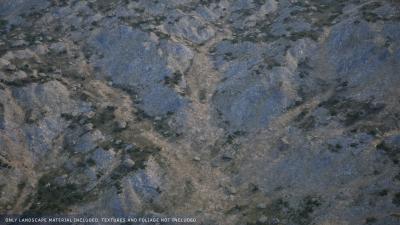
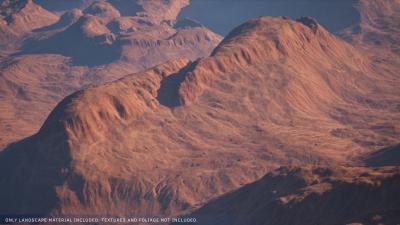
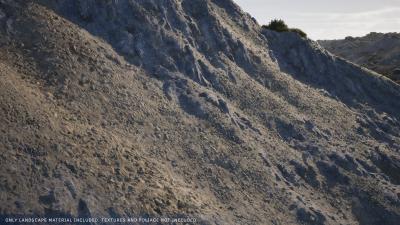
| Name | Version | Update Info | Comments | Status |
|---|---|---|---|---|
| Terracrust꞉ Procedural Landscape | 5.4-5.7 | 5.7-5.4 - V1.0.2 | UE5 READY |
----------------------
----------------------
For support & feature requests:
----------------------
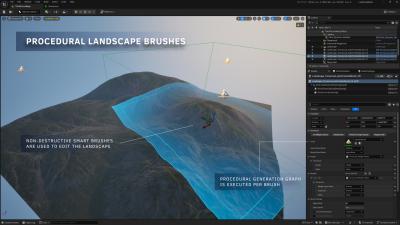
Terracrust is a powerful toolset, enabling you to procedurally generate landscape brushes with ease.
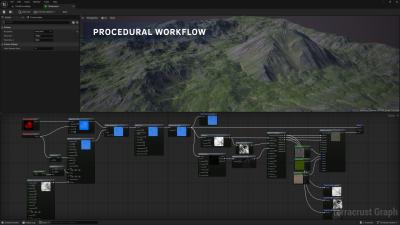
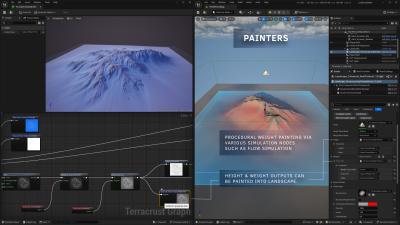
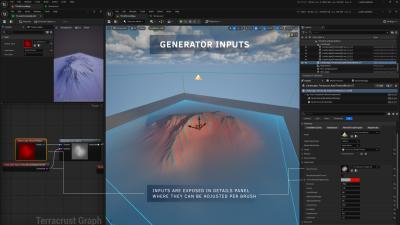
The workflow is intuitive and efficient. Create your generation logic within a custom graph editor using nodes to generate heightmaps and weightmaps as outputs. These outputs can then be seamlessly applied to your landscape via landscape brushes. With Terracrust's non-destructive approach, brushes can be repositioned, and generator parameters can be fine-tuned per brush in the details panel, giving you greater control over the landscape. This dramatically accelerates iteration, eliminating the need to constantly re-import data from external software.
Whether you're looking to adjust imported height and weight maps from external tools or to create landscapes entirely procedurally, Terracrust has you covered. Utilize built-in noise, erosion, and flow simulation nodes, or explore countless other options to achieve your desired look.
Powered by GPU-based processing, Terracrust ensures fast execution, making your creative process smooth and responsive.
16/10/24 by Allonan
Cool non-destructive approach to change the landscape easily. Combined with procedural landscape brushes, this is a great tool.
Professionally made and great value
18/09/24 by GrayFinDaniel
This plugin makes creating procedural landscapes a breeze. Think World Machine, or Gaea, but integrated seamlessly into UE5, so there's no tedious back and forth between software packages. If that wasnt enough, it's significantly cheaper than either of the aforementioned tools. The iteration speed is a game changer and lets you try things things out in-game within seconds.
Especially useful (to me) is that it allows procedural generation of weightmaps, so i can automate a lot of what i previously had to paint by hand.
It's worth noting that while it ships with a fairly extensive landscape auto material, the focus is on map generation, and you'll need to provide your own textures (eg. from quixel, or some other landscape marketplace asset).
This plu-in looks really awesome!
08/09/24 by Yamomota
I'll take a detailed look at its documentation this night and experiment with it.
Thx a lot! ;)
P.S.
I would be great to extent the list of supported versions of the engine. Just a tip. ;)
02/09/24 by Tylru
We're using real elevation data for much of our landscape creation process, however often we struggle against low resolution data sources in the part of the world we're interested in.
Firstly, I wondered whether there was any method to iterate on existing landscapes. Adding erosion, noise or sharpening details that are already there (essentially 'adding' "resolution" to the final result)?
Secondly, I wanted to understand how runtime compatible this is? Can we set up procedural brushes and then scatter these at runtime (perhaps using something like PCG) to create fully procedural landscapes at runtime/in a packaged build? or do all of the brushes need to be designed and placed at editor time?
Finally, If the answer to the first question (iterating on existing landscapes) is that it isn't possible, I notice it IS possible to embed texture samples within the brush creation process. We're considering streaming our terrain data at runtime (to reduce the packaged build size and allow much larger worlds), and I wonder how your system might deal with a situation where textures are injected into a brush at runtime? We'd be streaming in the terrain as texture data per 'tile'/brush and then would want to run some (seeded?) procedural effects on that texture before placing it into the world and replacing a Nanite proxy mesh that was in it's place prior to loading.
I realise all three of these questions are quite substantial, and I'm not expecting this system to handle the loading of terrain data textures for us of course, but rather how runtime capable and procedural we can get with your toolset.
Thanks!
Response:
Hello!
Currently there is no way to input existing landscape data into the generation graph but as you mentioned it is possible to embed texture samplers withing the generation process, so basically you could export the existing landscape data and work on that.
The render pipeline of the brushes and painting of these brushes into render targets can run in runtime/packaged build. However, Unreal Engine landscape does not support runtime editing out-of-the-box, so you would need to either modify the engine source code or use a custom landscape solution. The plugin basically outputs you a set of render targets. The code is decoupled, so the brush and layer rendering logic is separated from the actual editor tools.
The plugin has a class called "TerracrustLandscapeLayer" which is a stack of landscape render targets of certain size (height + weigtmaps). Brushes evaluate (by generation graph asset) their outputs into render targets and those brush output render targets are then drawn one by one into the TerracrustLandscapeLayer stack. Brushes are simply actor components that wrap logic to evaluate the generation graph and render the outputs into a destination layer stack. The evaluation of the procedural graph is separated into a class called TerracrustGraphEvaluation which can be used to compute any given graph asset and used to fetch outputs of the graph.
However, to utilize this for a custom purposes you described, would require you to implement a code that would manage the process. This would consist of allocating TerracrustBufferManager and TerracrustLandscapeLayer and then manually registering TerracrustBrushComponents into the TerracrustLandscapeLayer to render them.
This would give you the height and weightmap data (as render targets) that you can then apply into the landscape. This is where the editor module comes into play, the plugin has separate editor actors that wrap both TerracrustLandscapeLayer and TerracrustBrushComponent and acts as a bridge between UE landscape and Terracrust layer system. This is built on top of Epic's blueprint brush system and is used to transfer the merged brush results into the landscape. So essentially it reads the result render targets from TerracrustLandscapeLayer and writes them into the actual landscape. This can only happen in editor builds because the engine does not support changing of the landscape data in runtime.
To condense all this, the plugin can provide you render targets of height and weights in runtime _but_ as UE landscape does not support runtime editing, you need a custom solution to represent that render target data as a landscape.
If you have more questions, just hit me in Discord.
Question about brush and size of landscape
01/09/24 by Pierre9344
Hello,
How are the performances if there multiple brush and if we augment the size of the landscape to create a massivve open world?
Response:
Hi!
Currently the upper limit is 16k landscape. Editing starts to become slow after going 8k and above and requires lot more memory. (I have tested with 24GB VRAM). Terracrust has its own layer render pipeline which is relatively fast but as the results must be eventually applied to UE landscape, it tends to be resource heavy operation. From my understading, Epic is working on better solution to support of updating the landscape only partially but for the time being, the landscape must be fully loaded in order to make edits in it. This problem applies in general for any tool that edit the landscape such as Water, Landmass, and Landscape patches etc. because the landscape must be updated as a whole after each edit.
So the limiting factor is more of the size of the landscape rather than count of the brushes being used.
If you have any questions or want to share the specifics of the the landscape you would like to edit, I can run a quick test and check the memory requirements for you.
Input my own Landscapes ?
31/08/24 by PatMotZ
Hi there.
Looks very promising.
My question is, can I input my own landscape rasterfiles from real word terrain?
Or is it "limited" to generating terrain in the plugin?
Thanks
Response:
Hi!
You can use textures (Texture Object and Texture Input) in the generation graph, so externally imported height / weightmaps can be used as part of the generation process.
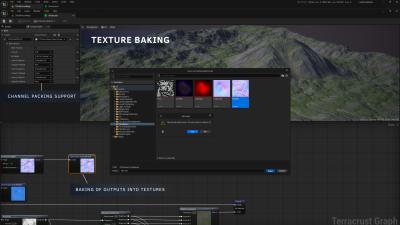
Basically, you could use it just to apply the rasterized terrain data into the landscape by creating a generation graph that takes your textures as an input and outputs them as a height & weightmaps. What makes it nice is that you can add additional post process passes for the data to eg. control intensity of the weightmaps etc. to give room for tweaking them in engine.
more examples and videos
27/08/24 by aoshi11
It looks cool. I am not sure why its not gaining a lot of traction here in the MP. I think you need to show long and story like videos to really drive in the features and possibilities. Possibly making a small map to larger ones.
Does the default material on the landscape support texture bombing or texture variation node to remove tiling? Also large landscape decals, road splines to river that also affect the landscape?
Thanks
Response:
Hi aoshi11!
Yeah, unfortunately the plugin seems to be lost in the marketplace. New releases do not get that much exposure nowadays and the attraction must be gained by other means I guess. I am currently working on tutorial videos however. Could be that I also need more reviews to make it feel more trustworthy for people.
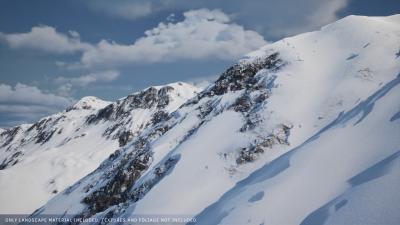
The default landscape material has a simple tiling breakup to hide tiling. It uses technique where there is a spotty mask texture which is used as a mask for 2 texture samples. It samples the textures twice with different UV scaling and by optionally rotating the second one by 90 degrees. Then those are blended by using the spotty mask to hide repetition. This technique is sufficent in most of the cases and is lightweight. The tiling break is capsulated inside material function (MF_TC_LandscapeLayer), so it is easily replaceable by any other technique if needed.
There is also support for color macro variation which helps to hide repetition.
Decals should work out of the box. If you wish to use large number of decals, I recommend using of RVT and by using decals that write into RVT. However, if you intent to use snow features, small modifications might be required depending on if you want that all the decals are drawn beneath the snow or on top of the snow. The snow is currently written into RVT, so the decals would overwrite the snow (this might be what you want). To make decals appear beneath the snow, you would need to move the snow blending after the RVT has been sampled, so the snow would be added on top of the decals that were written into RVT.
The plugin writes its results into a single landscape edit layer. So to support any futher modifications in it, you can simply add another edit layer on top of it to make any edits by hand. Same applies for landscape splines which can be added on a separate landscape edit layer to further modify the result. Automatic landscape texturing should take care of the height modifications made by the splines or if you wish to add road, you can use the standard weight paint feature of landscape splines. The material has initial support for 2 user texture layers which can be used eg. for roads etc.
 Inquiries / Questions: